
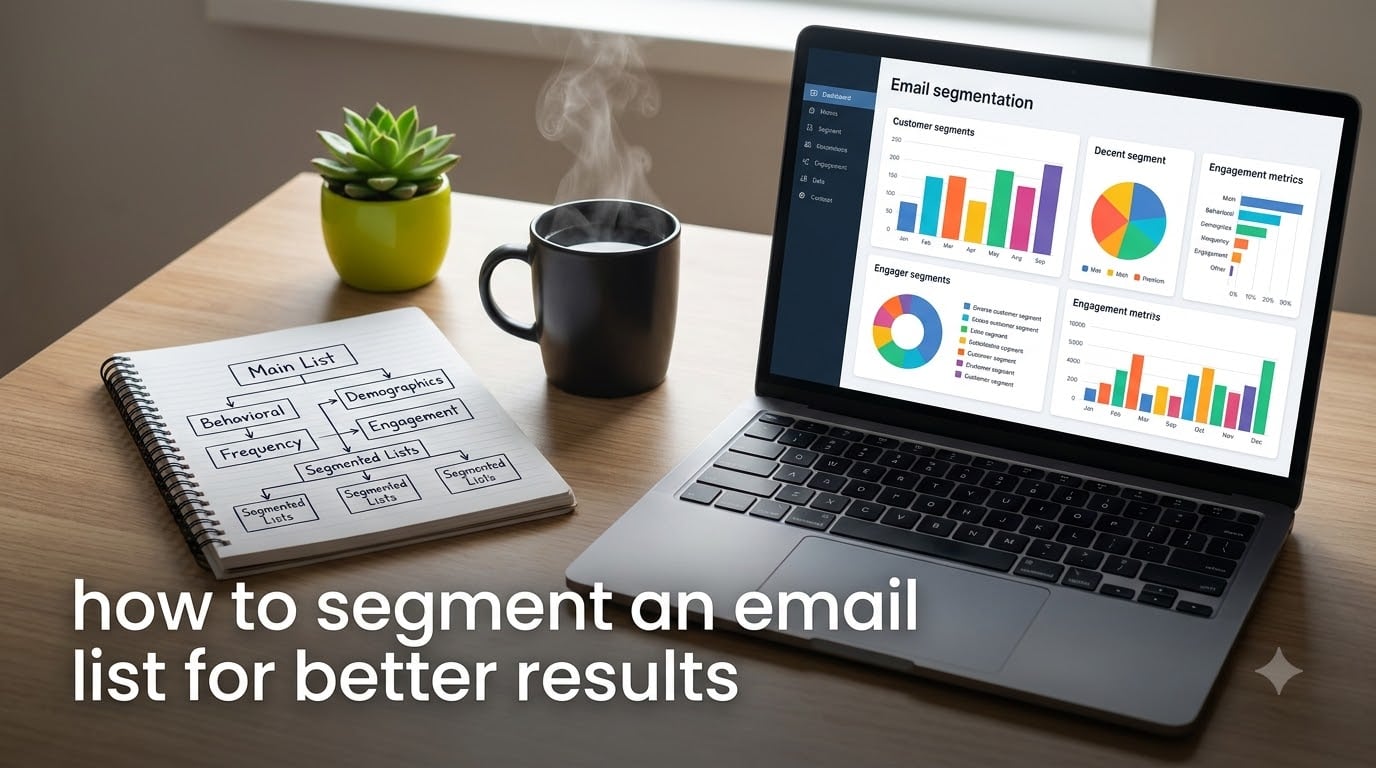
Last year our weekly newsletter was going out to all 11,400 subscribers as one flat list, and the numbers were fading fast. Opens sat around 18 percent, clicks hovered near 1.4 percent, and unsubscribe notices showed up every single morning. Once we learned how to segment an email list for better results and rebuilt the send around just four segments, opens climbed to 31 percent and clicks doubled within 60 days. Nothing else changed: same list, same product, same small team.
That experience taught us something most guides skip: segmentation is not about building 20 clever groups. It is about sending a smaller number of far more relevant emails. Relevance is the whole mechanism. When someone gets a message that matches their situation, they open it, click it, and stay on the list.
This guide walks through the exact process we use now, including the four segmentation types that matter, a seven-step setup you can finish this week, industry-specific examples, and the metrics that tell you whether a segment is actually working. If you are starting from a single unsegmented list, you are in the right place.
Table of Contents
What Is Email Segmentation?
Email segmentation is the practice of dividing your subscribers into smaller groups based on shared traits, then sending each group content built for them. Those traits can be demographic details like job title, behavioral signals like past purchases or link clicks, geographic data, or lifecycle stage. The goal of email segmentation is simple: the right message reaches the right person at the moment it is actually useful.
The opposite approach is a batch-and-blast email to everyone. That is what tanked our numbers. When a college student, a procurement manager, and a repeat customer all get the identical pitch, most of them ignore it, and mailbox providers start noticing the silence.
Segments vs. Tags vs. Static Lists
Most email platforms give you three tools, and picking the right one saves hours later. A static list is a fixed group you add people to by hand, like a spreadsheet you maintain manually. Tags are labels you attach to a subscriber, such as “downloaded-checklist” or “webinar-attendee.” A segment is a live filter that updates itself automatically, for example “clicked a link in the last 90 days AND has purchased once.”
During our rebuild we stopped using static lists entirely. Static lists go stale the moment someone’s behavior changes, so a buyer who has not opened an email in five months still sits in your “hot leads” list. Segments fix that on their own.
We use tags to record facts, then build segments that read those tags. If you remember one rule: tag what happened, segment who qualifies right now.
Why Behavioral Data Beats Demographics Alone
Demographics tell you who a subscriber is, but behavior tells you what they want right now. A 34-year-old marketer who clicked your pricing page yesterday and a 34-year-old marketer who has not opened an email since January need completely different messages, even though every demographic field in your database is identical.
One Reddit thread on r/Emailmarketing put it well: segmenting by product application or interest consistently outperforms demographic-only splits. We saw the same thing. Our interest-based segments beat our industry-based segments by 46 percent on click-through rate.
Why Email Segmentation Matters for Better Results
The clearest reason email segmentation matters is that relevance changes behavior. Here is what moved for us in the first 60 days after segmenting one flat list into four groups:
- Open rate climbed from 18 percent to 31 percent because subject lines finally matched reader intent.
- Click-through rate rose from 1.4 percent to 2.8 percent, since each group received one link that fit them instead of five competing ones.
- Unsubscribes fell by roughly a third, because fewer people received irrelevant sends.
- List complaints dropped, which matters more than most marketers realize.
That last point deserves a closer look, because deliverability is where segmentation quietly pays its rent.
Segmentation Protects Your Sender Reputation
Gmail, Outlook, and Yahoo all track how recipients treat your mail: opens, deletes without reading, spam complaints, and ignores. Send one generic blast and a large share of your list ignores it. Mailbox providers read that signal as “this sender is not wanted” and route more of your future mail to the spam folder.
Segmentation interrupts that slide. When you stop emailing disengaged people and send more relevant campaigns to engaged ones, your engagement metrics improve and your sender reputation stays intact. An ISP does not care how clever your copy is; it cares whether people interact.
The 80/20 Rule in Email Marketing
The 80/20 rule, applied to email, means roughly 80 percent of your results come from about 20 percent of your subscribers. In practice, a small core of engaged readers drives most of your opens, clicks, and revenue.
Segmentation is how you act on that imbalance. You protect your best 20 percent with high-value, high-frequency content. You build re-engagement campaigns for the inactive middle. And you either win back or clean out the long tail that has gone quiet for months. One list owner on r/Emailmarketing reported that even at 2,000 subscribers, segmentation was worth it because every single subscriber mattered at that scale.
The Four Main Types of Email Segmentation
There are four broad segmentation categories, and each answers a different question about your subscriber. Most strong programs mix at least two.
Demographic Segmentation
Demographic segmentation groups people by attributes like age, gender, job title, company size, or industry. It answers “who is this person?” It is the easiest type to start with because signup forms collect it directly.
Use it to adjust tone and offers, not to make rigid gates. A agency-side marketer and an in-house marketer may want the same tool but respond to different framing.
The trap is treating demographics as destiny. Age and job title alone predicted almost nothing in our sends. Demographics work best as a personalization layer on top of behavior.
Behavioral Segmentation
Behavioral segmentation groups people by what they actually do: pages viewed, emails opened, links clicked, webinars attended, products purchased, or carts abandoned. It answers “what does this person want right now?”
These segments stay fresh on their own because they update with every action. A few high-value behavioral segments we run:
- Engaged: opened or clicked at least one email in the last 90 days.
- Cart abandoners: added to cart without purchasing in the last 14 days.
- Repeat buyers: two or more purchases, ever.
- Content browsers: clicked three or more blog emails without buying.
- At-risk buyers: purchased once, no site activity in 60 days.
Behavioral data comes from your email platform’s tracking, your ecommerce integration, or your CRM. If you can only invest in one segmentation type, make it this one.
Geographic Segmentation
Geographic segmentation groups subscribers by country, region, city, or time zone. It answers “when and where should this arrive?”
The most basic use is send-time optimization. A 10 a.m. ET send lands at 7 a.m. in Los Angeles and mid-afternoon in London. Splitting by time zone so each group gets your email in the 9-to-11 a.m. local window typically lifts opens more than any subject-line tweak.
Geography also controls content: regional offers, local events, shipping thresholds, seasonal timing, and legal requirements like GDPR in the EU or CASL in Canada. One subtlety worth checking: location by signup IP goes stale when people move, so prefer the address on file for shipping-based sends.
Lifecycle Stage Segmentation
Lifecycle segmentation groups subscribers by where they sit in your relationship: new subscriber, lead, first-time buyer, repeat customer, loyal customer, or at-risk and inactive. It answers “what does this person need from us next?”
New subscribers need onboarding and your best intro content. First-time buyers need a thank-you plus a reason to return. Repeat buyers deserve early access and loyalty treatment. Inactive subscribers need a win-back or a graceful exit.
This is the framework that most directly ties email to revenue, because each stage maps to a business goal: activation, conversion, retention, or win-back. If revenue is your mandate, start here.
Which Type Should You Start With?
Start with behavioral and lifecycle splits, then layer demographics and geography on top as personalization. The deciding question is data availability. If your ecommerce store feeds purchase history into your email platform, behavioral and lifecycle segments can be live within an hour. If you only have signup-form data, demographic and geographic segments are your starting point while you instrument behavior collection.
How to Segment an Email List for Better Results (Step by Step)
Quick answer, in short: connect your data, define one goal, choose one or two criteria, build tags and filters in your email platform, create three segments, send tailored campaigns to each, and measure results against your unsegmented baseline. Here is the full process.
Step 1: Start With One Business Goal
Before touching any filters, write down the one outcome this effort serves. More engagement is not a goal; convert more trial users into paying customers is.
We made this mistake in reverse. Our first attempt built 14 segments because they all looked interesting, and we could not maintain the content calendar for even half of them. Every segment you create is a promise to write for that group indefinitely.
One goal keeps the build small. Pick from activation, first purchase, repeat purchase, retention, or re-engagement.
Step 2: Clean and Centralize Your Data
Segmentation built on bad data produces confident nonsense, so clean first. Remove or sunset addresses with no opens in 12 months, fix obvious typos, delete duplicates, and merge duplicate subscriber records. Decide on a single source of truth: your email platform, your CRM, or your ecommerce store. When data lives in three tools with three opinions, your segments will disagree with reality.
A practical cleanup order:
- Export the full list with every field and the last-open and last-click dates.
- Flag anyone with no open and no click in the last 12 months.
- Move that group to a re-engagement path, and remove the ones who do not respond.
- Standardize fields like country and job title so filters match cleanly.
- Document one source of truth and note where each field originates.
Forum owners consistently report that regular list cleaning plus re-segmentation improves engagement over time, and our own dead-address removal cut bounces by 61 percent. Even one afternoon of cleanup changes what your segments can see.
Step 3: Choose One or Two Segmentation Criteria
With a goal and clean data, pick the smallest set of criteria that supports that goal. If your goal is repeat purchase, the criteria are purchase count and days since last order. That is two fields, not ten.
Then set a minimum segment size before you build anything. Our working floor is 200 people or 5 percent of the list, whichever is smaller. Anything below that is too small to read statistically, since one person clicking swings the numbers by whole percentage points. Small groups get a tag now and become a segment once they grow.
Step 4: Set Up Tags and Filters in Your Email Platform
Now you build the machinery. In Mailchimp these are audience tags and segment conditions. In Klaviyo you define segments directly. In ActiveCampaign or HubSpot you combine lists, tags, and automation logic. The interface differs; the pattern does not.
Set up looks like this:
- Create a tag for each data point worth tracking, such as “lead-magnet-downloaded,” “webinar-attended,” or “trial-started.”
- Tag existing subscribers using an import or an automation rule.
- Build each segment as a filter on those tags, like “tag is trial-started AND no purchase.”
- Make each condition live rather than static, so members flow in and out on their own.
- Test with sample addresses to confirm membership behaves as intended.
A naming convention sounds boring until three people invent three tag systems in the same account. Ours is simple: source, then action, then qualifier, as in “webinar-attended-2026.” New tags cannot be created without matching that pattern.
Step 5: Build Your First Three Segments
Three is the right first number. It is enough to prove the concept and small enough to sustain. The three that work for almost every business:
- Engaged subscribers: opened or clicked within the last 90 days. These people want your regular cadence.
- New subscribers: joined within the last 30 days. These get the onboarding series, not the general newsletter.
- At-risk or inactive: no opens in 90 to 180 days. These get a re-engagement series and a final goodbye.
Once those three are running smoothly, add segments tied directly to revenue: cart abandoners, first-time buyers, and repeat buyers. That is the order that worked for us.
Step 6: Write Content for Each Segment
Every segment needs a distinct reason to exist, and that reason shows up in the copy. Same body copy sent to different segments is not segmentation; it is a mailing list with extra steps.
- Engaged subscribers get your standard cadence, plus early access as a reward for attention.
- New subscribers get your best-performing foundational content, never a cold sales pitch.
- At-risk subscribers get one short, direct win-back message, an honest question, or a final notice.
- Cart abandoners get the exact item they left behind, not your newest release.
Subject lines carry most of the segment-specific work. Our largest single open-rate gain came from inserting the subscriber’s actual interest into the subject line, not from any body-copy change. A few clear dynamic fields beat heavy personalization every time.
Step 7: Measure, Iterate, and Refine
Run each segmented campaign against the same period from your unsegmented baseline. We keep a simple four-column sheet: send date, segment, open rate, click-through rate. The comparison is the point, not any absolute number.
Expect a quiet period at the start. New segments often dip slightly for the first two or three sends while subject lines and content find their level. Judge a segment on three sends minimum, not one.
Refine on a fixed schedule. Every 90 days we review each segment’s metrics and make three decisions: keep as is, merge into a neighbor, or retire it. Segments are experiments, not monuments.
Email Segmentation Examples by Industry
Abstract frameworks only go so far, so here is how segmentation looks in three very different contexts. Small teams and enterprises should not run the same setup, and most guides never address the difference.
E-commerce Segmentation Examples
Ecommerce has the richest data, so behavioral and purchase-history segments dominate:
- First-time buyers versus repeat purchasers, each receiving a different post-purchase flow.
- Cart and checkout abandoners, split by cart value.
- High-value customers, defined by spend in the last 12 months, getting early access.
- Category browsers, such as “viewed running shoes twice, never bought.”
- RFM groups, scored on recency, frequency, and monetary value.
An RFM score gives you a fast loyalty ranking without complex modeling. Score everyone 1 to 5 on each of the three dimensions, then build one segment for the top scorers and one for the bottom.
B2B Segmentation Examples
In B2B, one person signs up and a committee decides, so segmentation tracks role and account stage rather than impulse behavior:
- Job title or function, separating practitioners from decision-makers.
- Company size, since a 20-person company and a 5,000-person company buy differently.
- Industry vertical, which controls which case studies you send.
- Funnel stage, from lead to marketing qualified lead to opportunity to customer.
- Account-based segments, where everyone from one company receives coordinated messages.
Here a CRM integration is not optional; the funnel-stage data lives in the CRM, not in the email tool. Without that sync, you will email open opportunities with brand-awareness content.
Small Business and Nonprofit Segmentation Examples
At small scale, keep it light and skip the enterprise machinery:
- Prospects versus customers, which is the split that matters most.
- Interest area, based on which lead magnet or content topic drew someone in.
- Event attendees versus non-attendees.
- Volunteers, donors, and board members for nonprofits, each needing different messaging.
- Simple engagement: opened recently versus gone quiet.
Forum advice from actual small-list owners is unambiguous: simple tag systems outperform complex ones for small teams, and segmenting even 2,000 subscribers is worthwhile because every subscriber matters at that size. Two or three segments, maintained well, beat a dozen maintained badly. A local nonprofit we advised runs four segments and sees 34 percent opens, with no dedicated marketing staff.
How to Measure Segment Performance
Measure each segment against your own unsegmented baseline from before you split the list. That comparison is the only one that proves segmentation caused the change.
The metrics that matter most:
- Open rate by segment, relative to your previous flat-list open rate.
- Click-through rate by segment, the strongest signal of real relevance.
- Conversion rate or revenue per email by segment.
- Unsubscribe and spam-complaint rates by segment, which should fall.
- List growth rate and the share of your list that is engaged.
Our own before-and-after: opens 18 percent to 31 percent, clicks 1.4 percent to 2.8 percent, unsubscribes down roughly a third, bounces down 61 percent after the data cleanup. Your starting numbers will differ; the direction is what counts.
Review on a monthly rhythm. Every 90 days, run the full pass: keep, merge, or retire each segment, and refresh or retire the inactive group.
Email Segmentation Best Practices
Everything above compresses into one working checklist:
- Start from a single named business goal, and let it dictate every segment.
- Segment by behavior and lifecycle first; layer demographics on top for tone.
- Keep data clean and centralized in one source of truth.
- Use dynamic segments over static lists, so membership updates itself.
- Tag events, and segment on current qualification.
- Enforce a minimum viable segment size, around 200 people or 5 percent.
- Write different content for each segment, or do not split it.
- Connect segmentation to automation so segments trigger flows, not one-off sends.
- Give every segment a named owner who is accountable for its results.
- Review segments quarterly and prune what is not earning its place.
Two practices people always ask about. First, plain-text greeting personalization such as first-name tokens still works fine, but segment-level personalization in subject lines moved our numbers far more. Second, if you need to explain segmentation value to a skeptical stakeholder, frame it as deliverability protection plus revenue per send, not as an engagement upgrade. Deliverability risk gets budget approved where open-rate optimism does not.
How to Avoid Over-Segmentation
Over-segmentation is the most common failure mode, and competitor coverage of it is thin. The symptoms are obvious once named: segments too small to measure, content you cannot sustain, falling results because sends go out to fragments of your list, and a tag system nobody on the team understands anymore.
Four rules keep it sane:
- Keep no more than five active segments for lists under 10,000 people.
- Merge any segment that drops below 200 members or 5 percent of the list.
- Only create a new segment when you can name the specific message it alone will receive.
- Retire one segment for every new one you add, once you pass five.
Sustainability beats cleverness every time. A segment you can write for every month is worth ten you cannot.
Common Email Segmentation Mistakes to Avoid
These are the mistakes we made or watched others make, each with its fix:
- Segmenting a dirty list. Old and invalid addresses pollute every segment. Clean before you build.
- Demographics only. Job title and age rarely predict intent. Add behavior.
- Static lists left unmanaged. They decay silently. Convert them to live segments.
- Segments without unique content. If every group gets the same email, un-merge them.
- No minimum size. Tiny segments produce noise you will misread as signal.
- Set-and-forget. Segments drift as behavior changes. Review quarterly.
- Never removing dead weight. Disengaged subscribers quietly damage sender reputation.
If any of these describe your current setup, they are all fixable in an afternoon.
When to Re-Segment Your Email List
Segments are snapshots of a moment, and your list keeps moving. Re-segment on a scheduled 90-day review plus any of these triggers:
- Open rates on a segment fall more than 20 percent below your account average.
- A segment shrinks below the minimum size as members age out.
- You launch a major product or enter a new market.
- Your data infrastructure changes, such as a new CRM or ecommerce platform.
- Engagement patterns shift after a seasonal peak.
The core skill is knowing when to merge versus split. Merge when two segments consistently receive the same content or when one falls below minimum size. Split when a segment’s internal range is wide, for example a buyers segment containing both one-time and ten-time purchasers.
Expect your segment structure to look different a year from now. That is a sign it is working, not a sign the first version failed.
Frequently Asked Questions
How to segment an email list?
Start by cleaning your list and choosing one source of truth for your data. Pick one business goal, choose one or two segmentation criteria that support it, then create tags and live segment filters in your email platform. Build three segments to start, such as engaged, new, and inactive subscribers, send tailored campaigns to each, and measure results against your previous unsegmented baseline.
What are the best practices for email segmentation?
Segment by behavior and lifecycle stage first, then layer demographics on top. Use dynamic segments instead of static lists, keep data clean and centralized, enforce a minimum segment size of about 200 people or 5 percent of your list, write different content for each segment, connect segments to automation, and review performance every 90 days so you can keep, merge, or retire each group.
What is the 80/20 rule in email marketing?
The 80/20 rule means roughly 80 percent of your results come from about 20 percent of your subscribers. A small core of engaged readers drives most opens, clicks, and revenue. Segmentation lets you act on that by sending premium content to your most engaged group and re-engagement campaigns to inactive contacts.
What is the most effective way to grow an email subscriber list?
Offer one specific, high-value resource in exchange for an email address, such as a checklist, template, or discount, and place the offer on your highest-traffic pages. Keep the signup form short, collect one or two segmentation data points at signup, and confirm quality with a double opt-in. A smaller engaged list outperforms a large unsegmented one every time.
Is email segmentation worth it for a small list?
Yes. Small-list owners on r/Emailmarketing report that even at 2,000 subscribers segmentation pays off, because every subscriber matters at that scale. Keep it simple: two or three segments such as customers, prospects, and inactive contacts, maintained well, beat a dozen segments maintained badly.
How many email segments should I start with?
Start with three: engaged subscribers who opened or clicked in the last 90 days, new subscribers from the last 30 days, and inactive subscribers with no opens in 90 to 180 days. That structure covers the full lifecycle, is easy to sustain, and proves the value of segmentation before you add revenue-focused segments like cart abandoners and repeat buyers.
Final Thoughts: How to Segment an Email List for Better Results
You now have the full picture of how to segment an email list for better results: understand the four segmentation types, follow the seven-step setup, start with three segments, measure against your baseline, and prune quarterly. The entire build is a week of part-time work, and most of that is the data cleanup.
Your next step is small and concrete. Pick one goal, clean your list this afternoon, and build the engaged, new, and inactive segments. Send your first segmented campaign within seven days, then give it three sends before you judge the numbers.
Moving from 18 to 31 percent opens did not come from a bigger budget or a new tool. It came from sending fewer, better-targeted emails to a list that finally heard something relevant. That is available to you at any list size, starting this week.