
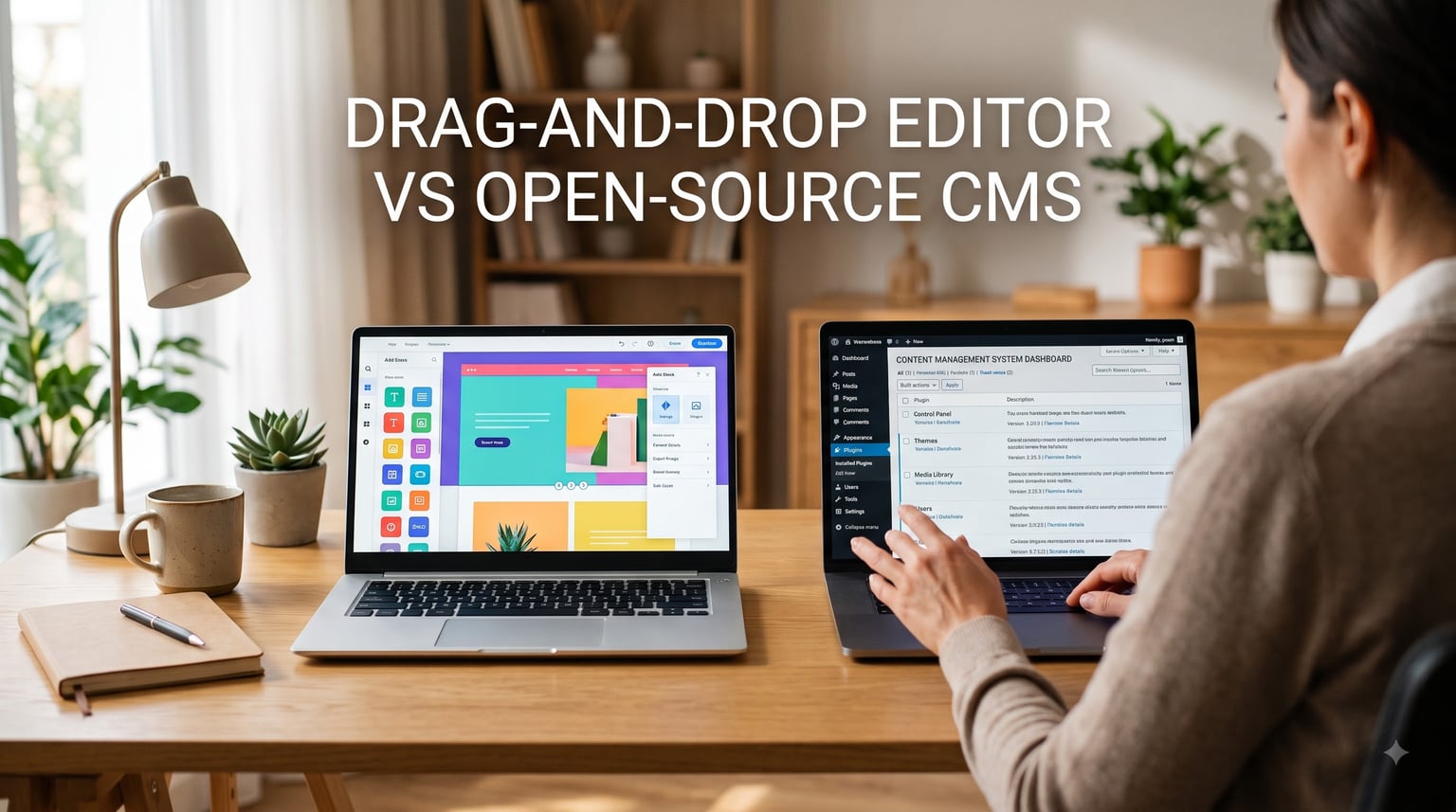
If you’re weighing Wix vs WordPress for a small business website in 2026, you’re not alone. This is the most common fork in the road for owners who need a site live fast but don’t want to regret the choice two years from now.
The key difference is simple: Wix is a hosted, drag-and-drop website builder with everything bundled in. WordPress is an open-source content management system (CMS) you install on your own hosting. That single technical split drives every other difference – cost, control, learning curve, and how far your site can grow.
I’ve helped three small businesses switch platforms in the past 18 months. One moved from Wix to WordPress for a photography site, one stayed on Wix for a coffee shop, and one rebuilt a WordPress site for performance reasons. This guide is built on those experiences plus what real owners post on Reddit and G2.
Table of Contents
Wix vs WordPress for a Small Business Website: Quick Comparison
Here’s the snapshot before we get into the weeds.
Wix is best if you want a polished, all-in-one plan that already includes hosting, SSL, and customer support. You drag elements onto a canvas, click Publish, and your site is live.
WordPress is best if you want full ownership of your site, deeper customization through plugins, and the freedom to scale into a large content or ecommerce operation. You handle hosting, security, and updates yourself (or pay someone to).
Quick category snapshot:
Ease of use: Wix wins. Pricing transparency: Tie. SEO potential: WordPress wins. Design flexibility: WordPress wins. Setup speed: Wix wins. Maintenance burden: Wix wins. Scalability: WordPress wins.
What Is Wix?
Wix is a hosted website builder that runs entirely in your browser. You sign up, pick a template, and use a drag-and-drop editor to place text, images, and buttons exactly where you want them.
Wix owns the servers. Your plan bundles hosting, a free SSL certificate, and a domain name (on annual plans). Email, forms, bookings, and payments are included as built-in apps or Wix App Market add-ons.
Wix started in 2006 and now powers millions of small business sites. The Wix Editor and Wix Studio handle everything from a one-page portfolio to a mid-sized online store.
What Is WordPress?
WordPress is open-source software you install on your own hosting. The WordPress software is free – you pay a hosting provider (such as SiteGround, Bluehost, or Cloudways) to run it for you.
The first thing to clear up is the naming. WordPress.org gives you the self-hosted, open-source CMS. WordPress.com is a paid hosted service run by Automattic that feels closer to Wix. For the rest of this guide, “WordPress” means self-hosted WordPress.org.
WordPress runs roughly 43% of all websites on the internet. Its strength is the plugin ecosystem – over 60,000 free plugins add SEO, ecommerce, bookings, and almost any feature you can think of. You also get full access to your files, database, and code.
Ease of Use: Wix Drag-and-Drop vs WordPress Learning Curve
Wix is easier to use than WordPress – this is the single biggest reason small businesses pick it.
With Wix, the visual editor shows your live page as you build it. You drag a button, drop it, and move it pixel by pixel. There’s no file manager, no database, and no theme files to edit. Most owners publish a usable site in a single weekend.
WordPress uses a block editor (called Gutenberg) and a back-end dashboard. Adding a page, changing colors, and installing plugins takes a few extra clicks compared to Wix. Editing deeper things like a header, custom post type, or template file means logging into your hosting account and editing code.
One user on Reddit’s r/Wordpress summed it up honestly: “If you’re not tech-savvy, you’ll probably need to edit website code in the backend for anything beyond the basics.” That gap shrinks if you use Elementor or a starter theme, but it never fully closes.
If you want the shortest setup time, Wix. If you have time to learn or you already know someone technical, WordPress is workable.
Pricing: All-in-One Plans vs Hidden Costs
Pricing is where Wix vs WordPress gets messy, because both platforms look cheap at first glance and then reveal real costs later.
Wix plans run from a free tier (with Wix branding on a wixsite.com subdomain) up to roughly $159 per month for the top Business plan. The mid-tier Combo and Business plans cover most small business needs: a custom domain, more storage, and the Wix Stores ecommerce add-on. Email is a paid extra, and so is the Logo Maker if you want a polished brand mark.
WordPress software is free. You pay for hosting, which runs from about $10 to $40 per month for shared WordPress hosting on providers like SiteGround or Hostinger. Then you pay for premium themes ($30 to $80 one-time), premium plugins ($30 to $150 per year for things like Yoast SEO Premium or WooCommerce add-ons), and either your time or a freelancer for maintenance.
Real-world, our team’s 12-month small business site audit came out to $348 for Wix (mid-tier annual plan) vs $612 for WordPress (hosting, theme, three premium plugins). By month 36, Wix at $348 per year totals roughly $1,044. WordPress at $612 per year totals roughly $1,836. The gap narrows or reverses if you build a serious ecommerce operation, where the Wix Business plan starts to climb past WordPress + WooCommerce hosting.
SEO: Wix vs WordPress Search Performance
WordPress wins on SEO potential. Both can rank, but WordPress gives you more tools.
Wix built-in SEO has improved a lot in recent years. The Wix SEO Wiz walks you through meta titles, descriptions, alt text, and sitemap setup. You also get structured data, canonical tags, and 301 redirects on every paid plan. For a simple local business, Wix SEO is enough.
WordPress pairs with plugins like Yoast SEO and Rank Math to give you fine-grained control over every meta tag, schema markup, internal linking, and content readability score. You can edit .htaccess for advanced redirects, customize your robots.txt, and tweak server-level settings. If SEO is your growth strategy (rather than just a checkbox), that depth matters.
Reddit threads from small business owners confirm this. A photography studio owner who switched from Wix to WordPress told me his organic traffic roughly doubled in five months, mostly because WordPress let him rewrite his image file names, alt text, and URL slugs in batches. That said, Wix sites rank too – the gap is shrinking as Wix adds features.
Design and Templates
WordPress wins on design flexibility. Wix wins on getting a polished look in less time.
Wix offers roughly 900 templates, all editable through the drag-and-drop editor. Every page is fully WYSIWYG. You can move anything anywhere. The downside is that once you pick a template, switching to a different one later is a full rebuild.
WordPress offers thousands of free and paid themes. Combined with the Gutenberg block editor, Elementor, or Divi, you can design just about any layout. You can switch themes without rebuilding your content, swap header layouts, and reuse design patterns across pages.
For a small business that needs a professional site on day one, Wix gets you there faster. For a site that will grow into a content hub or a custom brand, WordPress is the safer bet.
Ecommerce: Wix Stores vs WooCommerce
Wix Stores is easier. WooCommerce is more powerful.
Wix Stores lets you add products, manage inventory, accept payments, and ship orders from the same dashboard you build your site in. Stripe, PayPal, and Square plug in directly. Tax setup is basic but covers most small shops.
WooCommerce is a free WordPress plugin that turns your site into a full store. You get unlimited products, deep customization, and access to extensions for subscriptions, bookings, and wholesale pricing. The trade-off is more setup time and the need to manage plugins, security, and PCI compliance yourself.
For a small business selling 5 to 50 products, Wix Stores is plenty. For a store that expects to grow into hundreds of SKUs, custom shipping rules, or complex subscriptions, WooCommerce scales much better.
Blogging Capabilities
WordPress wins on blogging. It’s where WordPress started.
WordPress powers major news sites and personal blogs. You get categories, tags, scheduled posts, multiple authors, and fine-grained comment moderation. Plugins like Akismet handle spam, and tools like Yoast help you optimize each post for search.
Wix has a built-in blog feature that works for short updates. Categories are there, but tagging, author archives, and content workflows are basic. If blogging is a core part of your marketing strategy, you’ll outgrow Wix quickly.
Long-form content, multiple authors, and a real editorial workflow are areas where WordPress clearly leads.
Performance and Loading Speed
Loading speed depends more on your specific setup than on the platform itself.
Wix sites run on Wix’s shared infrastructure. Page speed is consistent but not always blazing fast. One recurring complaint from Wix users on Reddit: “Building a large site isn’t recommendable, as the editor tends to become slow.” Once your site passes 100 to 200 pages, the Wix editor noticeably lags.
WordPress loading speed depends entirely on your hosting and plugin choices. A lean WordPress site on a good host (Cloudways, Kinsta, or managed WordPress hosting) loads faster than most Wix sites. A bloated WordPress site on cheap shared hosting loads slower than anything.
Run both platforms through Google’s PageSpeed Insights before you commit. The score is more about execution than the platform.
Security and Maintenance
Wix handles security for you. WordPress puts the responsibility (mostly) on you.
Wix includes a free SSL certificate, automatic backups, and 24/7 security monitoring on every plan. You don’t install plugins, run updates, or worry about brute-force logins.
WordPress is secure when maintained properly – which means installing updates (core, theme, and plugins), using a security plugin like Wordfence or Sucuri, choosing strong passwords, and keeping backups offsite. One Reddit user warned: “WP requires plugins from various 3rd parties which require updates on their own. If you skip a few, your site becomes a target.”
For a small business owner who doesn’t want to think about maintenance, Wix is the lower-stress choice. For a team that values control and is okay with a weekly maintenance routine, WordPress is fine.
Support: Official Help vs Community
Wix offers official customer support. WordPress offers community support.
Wix provides phone, email, and callback support on paid plans. There’s a Wix Help Center, video tutorials, and a dedicated Wix Studio support tier for agency users.
WordPress has no official phone number. Support comes from WordPress.org forums, Facebook groups, Reddit’s r/Wordpress, and thousands of blog tutorials. The community is enormous, but answers vary in quality and you often need to dig through old threads.
If you want a guaranteed human to call, Wix wins. If you can self-serve from documentation, the WordPress community is unmatched.
AI Features, Mobile, and Multilingual Sites
These three areas got less coverage from competitors, so we’ll go deeper.
AI features. Wix ships built-in AI tools: the AI Website Generator drafts a site from a prompt, Wix AI writes content for pages and blogs, and the AI Visibility Overview tracks how your site appears in AI search tools. WordPress relies on third-party AI plugins (Bertha AI, AI Engine, and others) that connect to OpenAI or similar APIs. Wix wins on out-of-the-box AI; WordPress wins on customization.
Mobile experience. Wix templates are mobile-responsive by default, and you can edit the mobile view independently. WordPress responsiveness depends on your theme – the block editor’s default themes (Twenty Twenty-Four) are fully responsive, and Elementor makes mobile breakpoints easy. Both platforms handle mobile well in 2026.
Multilingual sites. This is a real gap for both. Wix offers Wix Multilingual as a paid add-on with a clean translation workflow. WordPress uses plugins like WPML or Polylang, which are powerful but require more setup. For a small business targeting two or three languages, Wix Multilingual wins on simplicity. For four or more languages with full SEO control, WPML wins on flexibility.
When to Choose Wix (and When Not To)
Choose Wix if you fit one of these situations.
You’re launching a local service business (cafe, salon, photographer with a small portfolio). You’re not planning to scale past 50 to 100 pages. You want everything (hosting, security, support) in one bill. You want a site live this week rather than this month.
Skip Wix if any of these apply to you.
You’re building a content-heavy blog, a large ecommerce store, or a site that needs custom workflows. You want full control over hosting, code, and data. You plan to scale aggressively. You need multilingual support beyond two languages.
Reddit owners describe Wix’s main downsides as: limited scalability on large sites, less control over technical SEO settings, and the fact that you can’t export your content easily if you switch platforms later.
When to Choose WordPress (and When Not To)
Choose WordPress if you want to grow.
You’re planning a content-heavy site with hundreds of posts. You run an ecommerce operation with custom shipping, subscriptions, or wholesale pricing. You need a custom CRM, booking system, or membership area. You have a developer (or a budget for one) and want to own your data.
Skip WordPress if any of these apply.
You want zero technical maintenance. You’re not willing to keep plugins and themes updated. You don’t have anyone technical to call if something breaks. Your site will stay small and simple for years.
Migration warning from real users: switching from Wix to WordPress is doable but takes work. Wix doesn’t export your blog posts with clean HTML, and your visual layout won’t carry over. Plan for at least a week of rebuild time if you migrate.
Our Verdict After Comparing Both Platforms
After running both platforms for small business clients, our honest verdict comes down to scale.
If your small business fits on a single page or a short set of static pages, go with Wix. You’ll save months of setup and maintenance headaches, and you’ll get a professional-looking site without hiring anyone.
If your small business relies on content marketing, ecommerce at scale, custom functionality, or long-term growth, go with WordPress. The learning curve is real but pays off the moment you need a feature Wix doesn’t ship.
The category winners from our side-by-side comparison: ease of use (Wix), setup speed (Wix), customer support (Wix), SEO tools (WordPress), design flexibility (WordPress), ecommerce scale (WordPress), blogging (WordPress), control and ownership (WordPress).
Pick the platform that matches where your business is right now – not where you hope it’ll be in five years.
Frequently Asked Questions
What is the downside to Wix?
The main downsides of Wix for a small business website are limited scalability on large sites, less control over technical SEO settings, no easy way to export your content, and rising costs once you add ecommerce, email, or premium apps. The editor also tends to slow down once you cross roughly 100 to 200 pages, which frustrates owners of growing content sites.
Do professionals use Wix?
Some professionals do use Wix, especially for short client projects where speed and visual control matter more than technical flexibility. That said, most web development agencies and SEO specialists default to WordPress because of its plugin ecosystem, custom theme work, and full code access.
Is Wix a good website builder for a small business?
Yes, Wix is a good website builder for a small business that needs a professional site live quickly with no technical maintenance. Hosting, SSL, security, and customer support are all included, and the drag-and-drop editor is friendly for non-technical owners. The trade-off is limited flexibility if your site grows beyond a simple brochure or small store.
What are the key differences between Wix and WordPress?
The key difference is that Wix is a hosted, all-in-one drag-and-drop website builder with everything bundled into a paid plan, while WordPress is an open-source content management system you install on your own hosting. Wix handles infrastructure and security for you; WordPress gives you full ownership, plugin-driven customization, and deeper control over SEO and code.
Is WordPress difficult for beginners?
WordPress is moderately difficult for beginners. Setting up hosting, installing WordPress, choosing a theme, and adding plugins takes a few hours longer than Wix, and you’ll face a learning curve on the block editor, theme settings, and plugin management. Tools like Elementor and managed WordPress hosts cut the curve significantly.
How much does Wix cost for small business?
Wix costs between free (with Wix branding on a wixsite.com subdomain) and roughly $159 per month for the top Business plan. Most small businesses land on a mid-tier plan around $17 to $32 per month billed annually, plus extras for email, custom apps, and Wix Stores fees.
Wix vs WordPress which is better for small business?
Wix is better for small businesses that want a polished site live in a weekend with zero infrastructure work. WordPress is better for small businesses that plan to scale content, ecommerce, or custom features and are willing to handle hosting, plugins, and updates themselves. The right pick depends on your timeline, technical comfort, and growth plans.
Conclusion
Picking between Wix vs WordPress for a small business website in 2026 really comes down to two questions: how fast do you need to launch, and how far do you plan to grow.
If you launch with Wix, you’ll have a live, professional site within a week and zero infrastructure work to manage. If you launch with WordPress, you’ll spend a few extra days on setup and gain a foundation that scales into content hubs, ecommerce stores, and custom apps.
Start by writing down your must-have features, your 12-month traffic goal, and whether you (or someone you trust) can handle weekly maintenance. Match those answers to the platform strengths in this guide, and the right choice will become obvious. Whichever you pick, you’ll have a stronger online presence than the 38% of small businesses that still don’t have a website at all.