
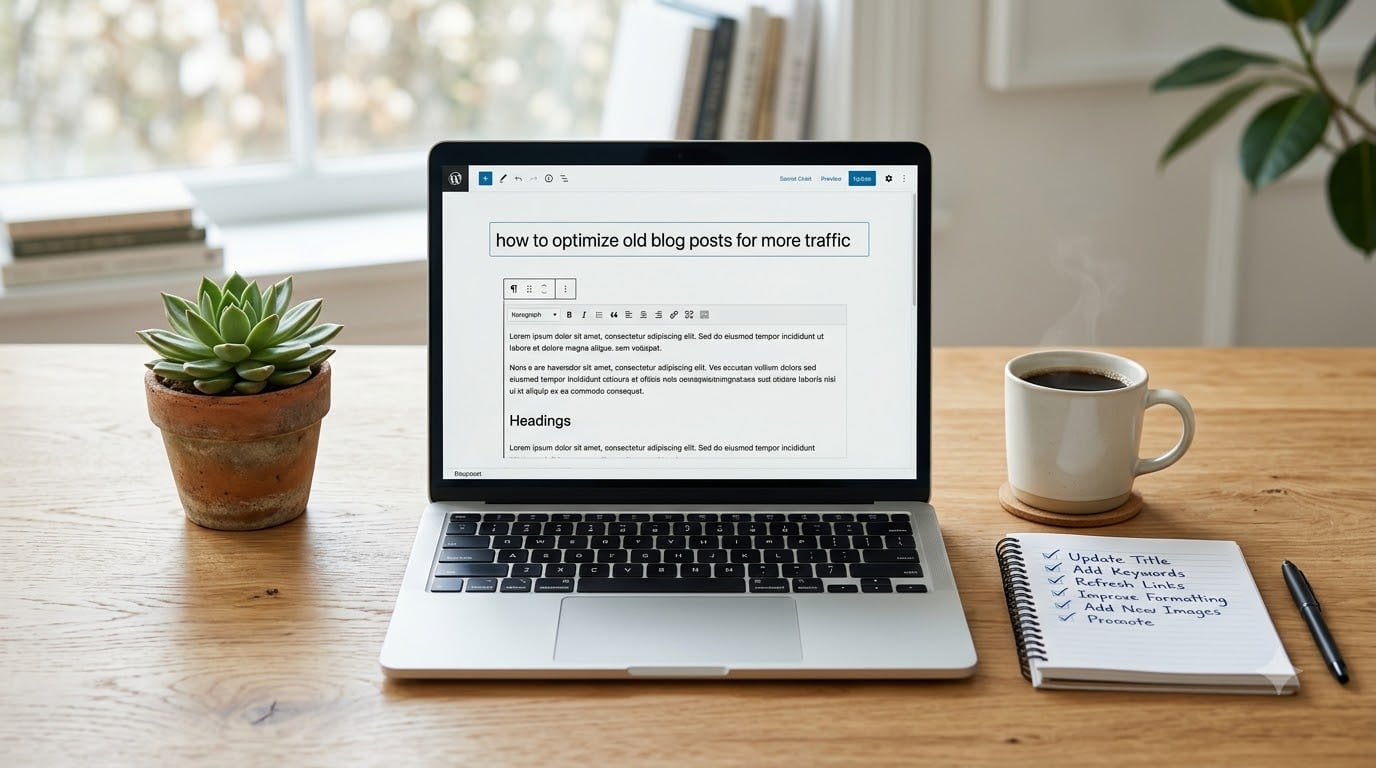
If you have a blog with more than a few dozen posts, chances are some of your older articles are quietly losing traffic right now. I have seen this happen across dozens of content audits, and the fix is almost always the same: stop only publishing new posts and start refreshing what you already have. Learning how to optimize old blog posts for more traffic is one of the highest-ROI moves you can make in 2026, and it does not require starting from scratch.
In this guide, I will walk you through the exact process my team uses to refresh underperforming content. You will learn which posts to update first, what to change (and what to leave alone), and how to measure whether your work actually paid off.
Table of Contents
Why Updating Old Blog Posts Works Better Than Writing New Ones
New content takes months to earn trust with Google. Old content already has that trust. Every older post on your site carries built-in signals: indexed pages, accumulated backlinks, historical click-through data, and topical authority. When you update instead of replace, you keep all those assets while fixing the weaknesses that are holding rankings back.
The 80/20 rule applies here. Roughly 80% of your traffic usually comes from 20% of your posts. Those proven performers are goldmines when you give them a refresh. A post that already ranks on page two can leap to page one with sharper headings, fresher data, and a few new internal links. A post stuck on page one can climb to the top three spots with the same treatment.
Case studies back this up. Orbit Media has documented multiple examples where a single content refresh produced 50% to 2000% traffic increases within weeks. I have personally seen posts triple their organic traffic after a thorough update. The reason is simple: the URL already has authority, and you are not starting from zero.
Refreshing old content also costs less. A new blog post might take 6 to 10 hours to research, write, edit, and publish. An update of an existing post usually takes 1 to 3 hours and produces faster results because Google recrawls and reindexes familiar URLs more quickly than brand-new ones.
How to Identify Which Old Blog Posts Need Updating
Do not update posts blindly. You want to focus on content that already has ranking potential, not posts that never earned a single click. Here is the framework I use to find the right candidates.
Start with Google Search Console
Open Google Search Console and pull the last 16 months of data. Filter for pages with average positions between 4 and 20. These are your best opportunities. They already rank for keywords, get impressions, and just need a push to break into the top three.
Look for three specific patterns:
- Posts ranking 4 to 10: high upside, often need better content depth and stronger on-page SEO.
- Posts ranking 11 to 20: lower maintenance, smaller gains, but still worth refreshing if the topic still matters.
- Posts with high impressions but low CTR: title and meta description are the issue, not the content itself.
Check for Content Decay in Google Analytics
Content decay is when an evergreen post slowly loses rankings because newer competitors have out-published and out-optimized you. Pull your top 50 posts by traffic from 12 months ago and compare them to today. Anything that has lost 30% or more of its traffic is decaying and needs attention.
The interesting twist: some posts decay even when the underlying topic is still relevant. The fix is almost always a content refresh, not a rewrite. Adding fresh data, updating examples, and tightening the structure usually reverses the slide within a few weeks.
Spot Outdated Information
Search your blog for posts that mention specific years, statistics, or tools. If a post says “in 2023, the best tool was X”, that post is now stale. A quick content audit on these posts surfaces dozens of refresh opportunities in under an hour.
How to Optimize Old Blog Posts for More Traffic: 8 Steps That Actually Work
Once you have a list of posts to update, the actual refresh process follows a predictable sequence. Work through these steps in order. Skipping one usually means leaving rankings on the table.
Step 1: Refresh the Title and H1
The title tag is the single biggest lever for CTR. If your post is ranking position 5 with a 3% CTR, a sharper title can push it to 8% or higher overnight. Aim for clarity, include the primary keyword near the front, and consider adding a number or specific year to boost click appeal.
Keep the change modest. If the original title is “A Guide to Email Marketing,” do not change it to “The Ultimate 47-Point Email Marketing Bible for Beginners.” Stay close to the topic so Google does not get confused about what the post is about.
Step 2: Rewrite the Meta Description
Your meta description does not directly affect rankings, but it controls whether someone clicks. A weak meta description means a low CTR, which over time means Google ranks you lower. Treat it like ad copy: include the keyword, state the benefit, and add a soft call to action.
I aim for 140 to 155 characters. Anything longer gets cut off in search results. Test a few variations over time and watch which versions pull more clicks in Search Console.
Step 3: Update and Restructure the Headings
Most old blog posts were written with H2s and H3s that bore no relation to the target keyword. Modern SEO rewards clear heading structure. Make sure your H2s naturally include related search terms and that the document flows logically from one section to the next.
Break up long paragraphs. Cut anything that does not serve the reader. If a section rambles for 400 words without adding value, it is hurting you. Tight, scannable content wins both with readers and with search engines.
Step 4: Add LSI Keywords and Semantic Terms
LSI keywords are words and phrases closely related to your main topic. If your post is about “content audit,” related terms include “content refresh,” “SEO content update,” “old content,” and “blog optimization.” Sprinkle these naturally throughout the post.
Do not stuff them in. The goal is to cover the topic comprehensively, not to game a metric. A well-written post on a topic will naturally include the relevant semantic terms. If yours does not, that is usually a sign you need to expand the content.
Step 5: Expand Thin Content
Posts under 600 words rarely rank well in 2026. If your old post is short, expand it. Add a section competitors have. Answer a question readers asked in the comments. Include a real example or case study with specific numbers.
Do not padding to hit a word count. Add genuine value. I usually expand a post by 30% to 80% during a refresh, focusing on depth and specificity over sheer length.
Step 6: Optimize Images and Add Alt Text
Old posts often have unoptimized images: missing alt text, oversized files, generic file names. Fix all three. Rename “IMG_4827.jpg” to “content-refresh-checklist.jpg” before uploading. Compress images to under 100 KB when possible. Add alt text that describes the image and includes the keyword where natural.
Image optimization is one of the easiest wins. Most blogs have dozens of old posts with broken or missing alt text, and fixing them takes just a few minutes per post.
Step 7: Strengthen Internal Linking
Every old post should link to your newest, most important content. And every new post should link back to refreshed cornerstone pieces. Internal links pass authority, help Google understand your site structure, and keep readers on your site longer.
Aim for 3 to 5 internal links per post where they make sense. Link using descriptive anchor text, not “click here.” If a refreshed post has space for a relevant link, add one. If not, do not force it.
Step 8: Add External Links to Authoritative Sources
Linking out to high-quality sources signals to Google that your content is well-researched. Link to original studies, official documentation, and respected industry publications. Avoid linking to direct competitors when possible.
One to three external links per post is plenty. Open them in the same tab so readers do not leave your site entirely. The goal is to support your claims, not to send traffic away.
The Critical Warning: Why You Should Never Change the URL
I have watched people lose 18 months of SEO progress in five minutes by changing a URL. If your post has earned backlinks, social shares, or any historical authority, that equity lives in the URL. Change the slug, and you start over.
If you absolutely must change a URL, set up a 301 redirect from the old URL to the new one. That passes most of the link equity to the new page. But even with a 301, you will lose some authority and traffic during the transition. The safest approach is to keep the URL exactly as it is and only change the content within the post.
There are rare cases where a URL change is justified: rebranding a slug to match new keyword targeting, fixing a typo that has been indexed for years, or consolidating two thin posts into one. In every other case, just leave the URL alone.
Light Touch Update vs Complete Rewrite: Which Should You Choose?
Not every old post needs a full rewrite. Most need what I call a “light touch update”: targeted changes that fix the specific issues holding rankings back. Here is how to decide.
When a Light Touch Update Is Enough
Use a light touch if the post already ranks between positions 4 and 15, has accurate core information, and just needs better on-page SEO. A light touch usually means updating the title, meta description, headings, images, and adding a few new internal links. It takes 1 to 2 hours per post.
Light touch updates produce the best ROI on most content refresh projects. Most of the posts you refresh will fall into this category, and the results can be dramatic.
When a Complete Rewrite Makes Sense
Rewrite a post from scratch if the original content is fundamentally wrong, the topic has shifted significantly, or the post is so thin that updating it is more work than rewriting. A complete rewrite usually takes 4 to 6 hours and should produce a post that is substantively better than the original.
Generally, I rewrite less than 10% of the posts I refresh. Most older content has good bones. It just needs polishing, not demolition.
When to Delete Instead of Updating
Delete posts that have zero traffic, no backlinks, and no strategic value. Orphaned thin content drags down your entire site’s authority. If a post does not serve a purpose and cannot be salvaged, removing it (with a 301 redirect to a related post) is sometimes the right call.
Do not delete posts impulsively. Check Search Console for impressions. If a post shows impressions even without clicks, it has ranking potential and is worth refreshing.
Tracking Results: Metrics to Watch After You Update
If you update a post and do not track the results, you are guessing. Tracking is what separates a content refresh project from random content tweaks. Here are the four metrics that matter most.
Organic Traffic
Open Google Analytics and compare the 30 days before the update to the 30 days after. Some posts recover within a week. Others take 4 to 8 weeks for Google to fully reindex and re-rank. Give it at least 60 days before judging.
Track impressions in Search Console too. A jump in impressions without a matching traffic increase means your title and meta description need more work. A jump in impressions with traffic growth means your update worked.
Keyword Rankings
Use a rank tracking tool like Ahrefs, SEMrush, or even a free option like Google Search Console’s position filter. Watch how your target keyword moves over the weeks after the update. A move from position 9 to position 5 can mean a 300% increase in clicks because of how CTR scales with ranking.
Click-Through Rate
CTR is the metric that tells you whether your title and meta description are doing their job. If your CTR is below 3% for a page-one ranking, your snippet is weak. If it climbs above 5%, you have a winner. Most content refreshes move CTR noticeably within the first month.
Engagement Metrics
Watch bounce rate, average time on page, and scroll depth. A refreshed post should hold readers longer because the content is more relevant to their search intent. If engagement drops after the update, you may have changed the topic angle and confused returning visitors.
How to Promote Updated Posts for Maximum Reach
An updated post does not promote itself. You need to give it a small push to get the flywheel spinning. Here are the promotion tactics that work in 2026.
Reshare on Social Media
Schedule three social posts for the refreshed content over the next two weeks. Use different angles: one with the original hook, one with a new statistic from the update, and one with a question that drives engagement. Do not just repost the same link with the same caption.
Send to Your Email List
If you have an email list, feature the refreshed post in your next newsletter. Subscribers who missed the original will discover it. Returning readers will appreciate the update. Subject lines like “We just refreshed our guide to X” tend to perform well.
Add to Internal Link Opportunities
Every new post you publish should link to your refreshed cornerstone content. Link from your sidebar, from your about page, from related posts. Internal links are the single most underused promotion channel for content refreshes, and they compound over time.
Reach Out to People Who Linked to the Old Version
Use Ahrefs or SEMrush to find everyone who linked to the original post. Send a short email: “Hey, I noticed you linked to our post on X. We just refreshed it with new data and a more detailed guide. Thought you might want to update your link.” A small percentage will update, and those updates keep your content fresh in Google’s eyes.
Update Old Comments and Discussions
Find blog comments, forum threads, and Reddit posts where people linked to the old version of your post. Drop a polite note that the post has been updated and include the link. This is a slow but powerful way to revive traffic from secondary sources.
Frequently Asked Questions
How often should I update old blog posts for SEO?
For most blogs, a quarterly content refresh cycle works well. Focus on posts that have lost traffic, rank between positions 4 and 20, or cover topics where new information has emerged. Updating 5 to 10 posts per month is a sustainable pace that produces compounding results over time.
How do I know if a blog post needs updating?
The clearest signs are declining organic traffic in Google Analytics, lower rankings in Search Console, outdated statistics or references, and competitor content that now outranks you. Any post older than 18 months is a candidate for review, especially in fast-moving niches.
Should I delete old blog posts that get no traffic?
Only if the post has no backlinks, no impressions in Search Console, and no strategic value. Removing indexed content without a redirect can hurt your site. If the post has any ranking potential, refresh it instead. If it must be deleted, redirect it to a relevant related post using a 301 redirect.
Are blogs still worth updating in 2026?
Yes. Blogs remain one of the most reliable sources of compounding organic traffic. AI search engines increasingly cite well-maintained blog content. Refreshing old posts is faster, cheaper, and often more effective than publishing new content because the URL already has authority and existing backlinks.
What is the 80/20 rule for blog content?
The 80/20 rule for blog content says that roughly 80% of your traffic comes from 20% of your posts. Those proven performers deserve the most attention during a content refresh. Focusing update efforts on this core 20% produces the largest traffic gains with the least effort.
Can I backdate a blog post to make it look fresh?
No. Backdating content is a violation of Google’s quality guidelines and can result in manual penalties. If you update a post, leave the original publish date intact and let the modified date show. Transparency is what matters for both rankings and reader trust.
Final Thoughts on Optimizing Old Blog Posts
Learning how to optimize old blog posts for more traffic is one of the highest-leverage skills in content marketing. Every hour you spend refreshing an existing post returns more traffic than an hour spent writing a new one, especially in the first 60 days. The work compounds. A refreshed post keeps earning traffic for months, and the cumulative effect of a serious content refresh project can transform a struggling blog into a traffic engine.
Start with five posts this week. Pull data from Search Console, identify candidates with ranking potential, and run them through the eight-step process I outlined. Track the results. After 60 days, compare the numbers. You will almost certainly see exactly why content refresh is the most underrated growth tactic available to bloggers in 2026.