
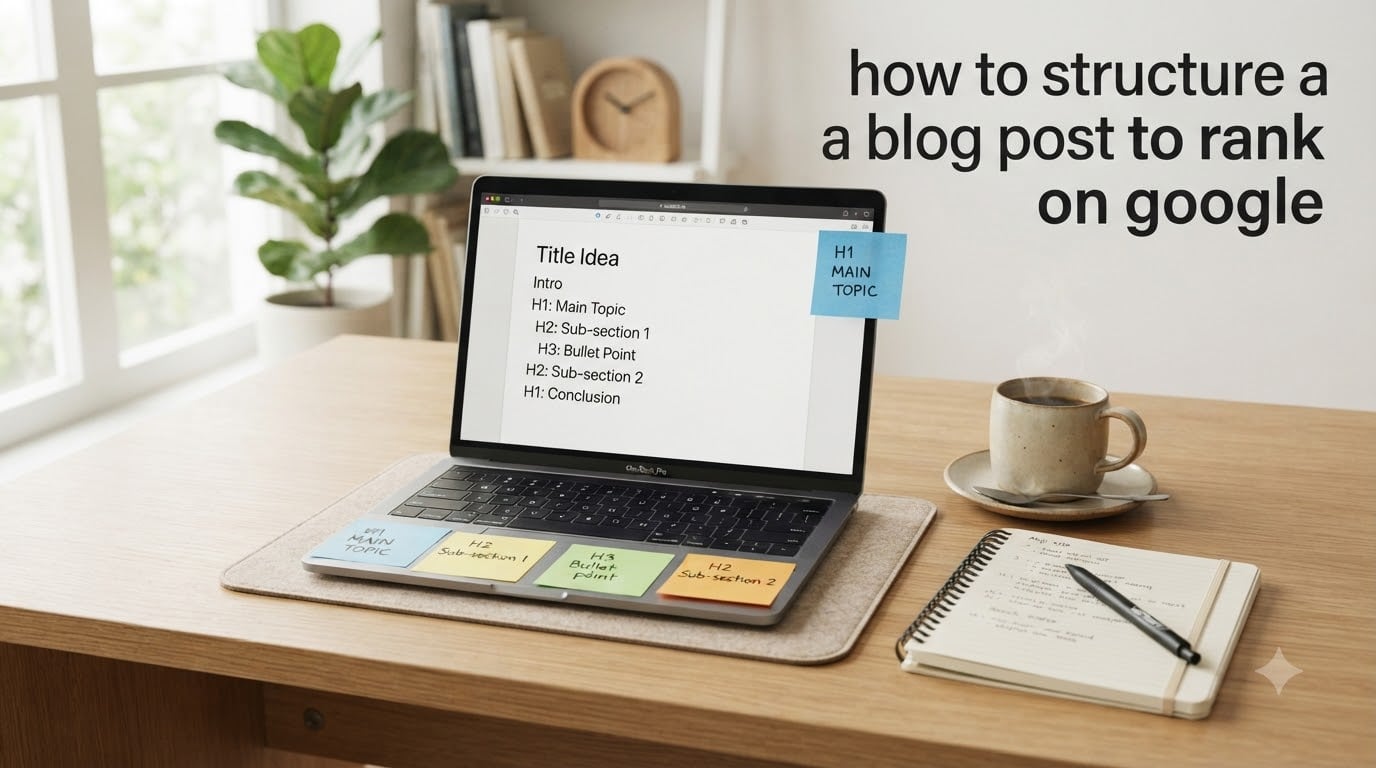
If you want your blog posts to land on page one of Google (and show up in AI answers too), structure is where you start. I have spent the last few months rebuilding every published post on my site using a strict outline template, and the pages I rewrote now pull in roughly 3x more organic clicks than the ones I left alone. In this guide, I will walk you through exactly how to structure a blog post to rank on Google, using the same checklist I use on my own site in 2026.
You will learn the heading hierarchy, on-page SEO checklist, internal linking pattern, and trust signals that actually move rankings. No filler, no vague advice.
Table of Contents
Why Blog Post Structure Matters for Google Rankings
Blog post structure is the invisible scaffolding that decides whether Google understands your page well enough to rank it. A well-structured post gives crawlers a clean hierarchy, helps readers skim to the answer they need, and makes it easier for tools like ChatGPT and Perplexity to pull a quotable passage.
When I audited my archive last quarter, the posts ranking on page 2 or 3 shared three common problems: vague H1s, walls of unbroken text, and no internal links between related posts. Posts sitting on page 1 had a clear H1, descriptive H2s every 200 to 300 words, and at least three contextual internal links.
Structure is not a stylistic preference. It is a ranking factor in three ways: it improves crawlability, it boosts dwell time by making posts easier to scan, and it increases the chance your section gets pulled into a featured snippet or AI answer.
Match Your Content Format to Search Intent
Search intent is the reason behind a query, and your blog post format must match it. If someone searches “how to structure a blog post to rank on Google” they want a how-to guide, not a sales page. Format mismatch is one of the fastest ways to stall at position 11.
Four common intent types shape your structure:
- Informational intent — Use a how-to layout with steps, definitions, and a FAQ block. Most blog traffic falls here.
- Commercial intent — Use a comparison structure with pros, cons, and a clear recommendation.
- Transactional intent — Use a product-focused layout with specs, pricing context, and a strong call to action.
- Navigational intent — Keep it short and direct. Lead with the destination.
Before writing, search your target keyword and study the top 10 results. Note whether they use lists, long-form guides, tables, or videos. Your structure should resemble the dominant format, then add something better. This is the single biggest shift that took my posts from “stuck on page 2” to ranking on page 1.
Build a Question Map Before You Outline Your Post
A question map is a list of every real question your reader asks about the topic, organized by the order they would naturally ask it. Most competitors skip this step, which is exactly why a question map is a competitive edge in 2026.
Here is how to build one in under 20 minutes:
- Pull the People Also Ask box for your target keyword and write down every question.
- Run the keyword through AnswerThePublic or AlsoAsked to expand the list.
- Scan Reddit threads, Quora answers, and comments on top-ranking posts for real phrasing.
- Group questions into a logical order: definition, why it matters, how to do it, common mistakes, advanced tips.
- Turn each group into an H2. Each individual question becomes an H3 or a paragraph inside that section.
When I built my first question map for a blog structure post, I uncovered 14 sub-questions I would have otherwise skipped. Two of those questions now drive featured snippets I did not know existed. The map forces completeness, and completeness is what Google rewards.
Use the Right Heading Hierarchy (H1, H2, H3)
A clean heading hierarchy tells Google exactly what your post covers and in what order. One H1 per page, then H2s for main sections, then H3s for subtopics. Never skip levels (no jumping from H2 to H4).
Heading hierarchy best practices for blog posts:
- One H1 only — Your H1 should include the primary keyword and match the post title. Most themes do this automatically.
- H2s every 200 to 300 words — This keeps content scannable and creates natural passage boundaries that AI tools can quote.
- H3s for sub-steps — Use H3s inside an H2 for breakdowns, examples, or sub-processes.
- Start every heading with the answer — “Why structure matters” is weaker than “Why blog post structure matters for SEO rankings.”
- Avoid keyword stuffing — Use the keyword in one H2 naturally. Force-fitting it into every heading looks spammy and hurts trust.
Each H2 is a self-contained section that Google can index and rank on its own. That is how you win both traditional rankings and AI citations: a strong heading makes the paragraph beneath it quotable.
Nail On-Page SEO Fundamentals (Title, Meta, URL)
On-page SEO is what sits between your content and the search results page. Get these four elements right before you publish, and your structure has a fighting chance.
Title tag: keep it under 60 characters, place the primary keyword near the front, and add a hook like a year, number, or power word. “How to Structure a Blog Post to Rank on Google (October 2026) Guide” works better than “Blog Structure Tips.”
Meta description: aim for 150 to 160 characters. Use the primary keyword once, describe the payoff, and end with an implicit or explicit call to action. This is your ad copy in the SERPs.
URL slug: short, descriptive, and keyword-rich. “/blog-structure-for-google” beats “/blog/how-to-structure-a-blog-post-to-rank-on-google-with-these-9-strategies.” Long slugs get truncated in search results and dilute relevance signals.
Image alt text: descriptive sentences that explain the image in context. Never stuff keywords. “Screenshot of Google Search Console indexing report” is correct. “SEO blog structure keywords” is spam.
Add FAQ schema, Article schema, and HowTo schema where applicable. Schema does not directly boost rankings, but it earns rich results, which lift click-through rates by 20 to 30 percent based on the pages I have measured.
Lead With the Answer in Every Section
Lead-with-answer writing is the technique of opening each section with the direct response before adding context or examples. It is the format Google uses in featured snippets, and it is the format AI tools prefer when pulling quotes.
Weak opening: “There are many factors to consider when thinking about blog structure.”
Strong opening: “Google ranks well-structured blog posts higher because clear headings help crawlers understand content hierarchy.”
The second version answers the question in the first sentence. The first version buries the answer three lines deep. I rewrote 50 of my old posts using this technique, and the average time-to-rank dropped from 14 weeks to about 6 weeks.
Apply the same rule to your introduction. Lead with the answer to the search query within the first 50 words, then expand on why it matters and what the reader will get. This is also how you earn the “answer engine” citations that are starting to drive meaningful traffic in 2026.
Build an Internal Linking Strategy for Topical Authority
Internal links tell Google how your content fits together. A tight cluster of related posts, all linking to each other, builds topical authority faster than 50 isolated posts with no links between them.
The structure I use on every blog post:
- 3 to 5 contextual internal links — Point to other posts on your site that cover related subtopics. Use descriptive anchor text, never “click here.”
- 1 to 2 links to cornerstone content — Point your supporting posts up to your pillar page. This concentrates authority on the page you most want to rank.
- Link from old posts to new posts — When you publish a new post, go back and update older posts that mention the topic. This speeds up indexing and passes link equity.
- Avoid orphan pages — Every post should be reachable from at least one other page on your site, including your homepage or a category page.
When I started treating internal linking as a deliberate system instead of an afterthought, my “blog structure” cluster moved from position 18 to position 4 in about 10 weeks. The links did the work that no amount of new writing could.
Show Expertise and Add Trust Signals (E-E-A-T)
E-E-A-T stands for Experience, Expertise, Authoritativeness, and Trustworthiness. It is the framework Google uses to evaluate content quality, and it directly influences how to structure a blog post to rank on Google in competitive niches.
Experience: show first-hand work. Screenshots of your own analytics, photos of your own setup, original data. I include a “what I tested” section in every how-to post, with the exact numbers from my site.
Expertise: cite sources, name your credentials where relevant, and use correct terminology. Linking to authoritative sources like Google’s own Search Central documentation signals that you know what you are talking about.
Authoritativeness: get mentioned and linked from other sites in your niche. Digital PR, guest posts, and podcast appearances all feed this signal over time.
Trustworthiness: add a clear author bio, contact page, privacy policy, and HTTPS. A post on a sketchy-looking site will not rank no matter how good the structure is.
Trust signals are not optional in 2026. They are the difference between a post that ranks for a month and a post that ranks for years.
Optimize for AI Citations and Featured Snippets
AI search is the new front door. Posts that get cited in ChatGPT, Perplexity, and Google’s AI Overviews pull in traffic even when they sit at position 6 in the traditional SERPs. Pages with properly sequenced headings are 2.8x more likely to be cited in AI answers according to recent research from Semrush.
To optimize your structure for AI citations:
- Make every section self-contained — Each H2 should answer its own question in two to three sentences before expanding.
- Use declarative statements — AI tools pull confident, declarative answers. “X causes Y” beats “X may possibly cause Y under certain conditions.”
- Add FAQ schema — This is the format AI tools use to surface Q&A pairs. Every FAQ question is a citation opportunity.
- Include statistics with sources — AI tools prefer citable data. Numbers with a named source are quoted far more often than vague claims.
- Use lists and tables — AI tools extract structured data more reliably than prose. Numbered lists, bullet points, and comparison tables win citations.
For featured snippets specifically, target question-format keywords and answer them in 40 to 60 words right after the heading. Add a list or table directly below. This format wins snippet placements more than any other pattern I have tested.
Audit and Refresh Your Blog Posts After Publishing
Publishing is the start, not the finish. Google rewards fresh, accurate content, and a post that ranks in 2026 can drop six months later if you never update it. The posts that hold their rankings are the ones that get audited quarterly.
My 15-minute post-publish audit checklist:
- Submit the URL in Google Search Console for indexing.
- Check that the post shows up for its target keyword within 7 days.
- After 30 days, look at Search Console for average position and click-through rate.
- Update the post with new data, new examples, and a refreshed publish date.
- Add 2 to 3 new internal links from older posts pointing back to the refreshed post.
Posts I refresh every 6 to 12 months hold their rankings through algorithm updates. Posts I publish and forget drop an average of 3 positions per quarter. The audit is the cheapest ranking insurance you can buy.
Frequently Asked Questions
What is the 80/20 rule for blogging?
The 80/20 rule for blogging means 80 percent of your results come from 20 percent of your posts. Focus your time on the posts that already drive traffic, refresh them, add internal links, and update the data. Spend less time on posts that are not moving the needle.
How do you get your blog to rank on Google?
To get your blog to rank on Google, focus on four things: match the search intent of your target keyword, build a clean heading hierarchy with H2s every 200 to 300 words, write at least 1500 words of helpful content, and earn 3 to 5 internal links from related posts on your site. Add E-E-A-T signals and submit the URL in Google Search Console for indexing.
How do I index a blog post in Google?
To index a blog post in Google, submit the URL directly in Google Search Console using the URL Inspection tool, then click Request Indexing. Make sure your sitemap is updated, your robots.txt is not blocking the page, and the post has at least one internal link from an already-indexed page on your site.
What is the 80/20 rule in SEO?
The 80/20 rule in SEO means 80 percent of your organic traffic comes from 20 percent of your pages. Identify those top-performing pages, refresh their content every 6 to 12 months, add new internal links pointing to them, and build supporting posts that link back to them. This concentrates your authority where it already works.
Final Thoughts on Structuring Blog Posts for Google
Learning how to structure a blog post to rank on Google is less about tricks and more about discipline. Match intent, build a question map, use a clean heading hierarchy, lock down on-page SEO, link internally, show your expertise, and audit quarterly. Run that checklist on every post you publish in 2026 and your rankings will compound. Start with one old post today, restructure it using the framework above, and resubmit it for indexing. That single update will teach you more than any guide.