
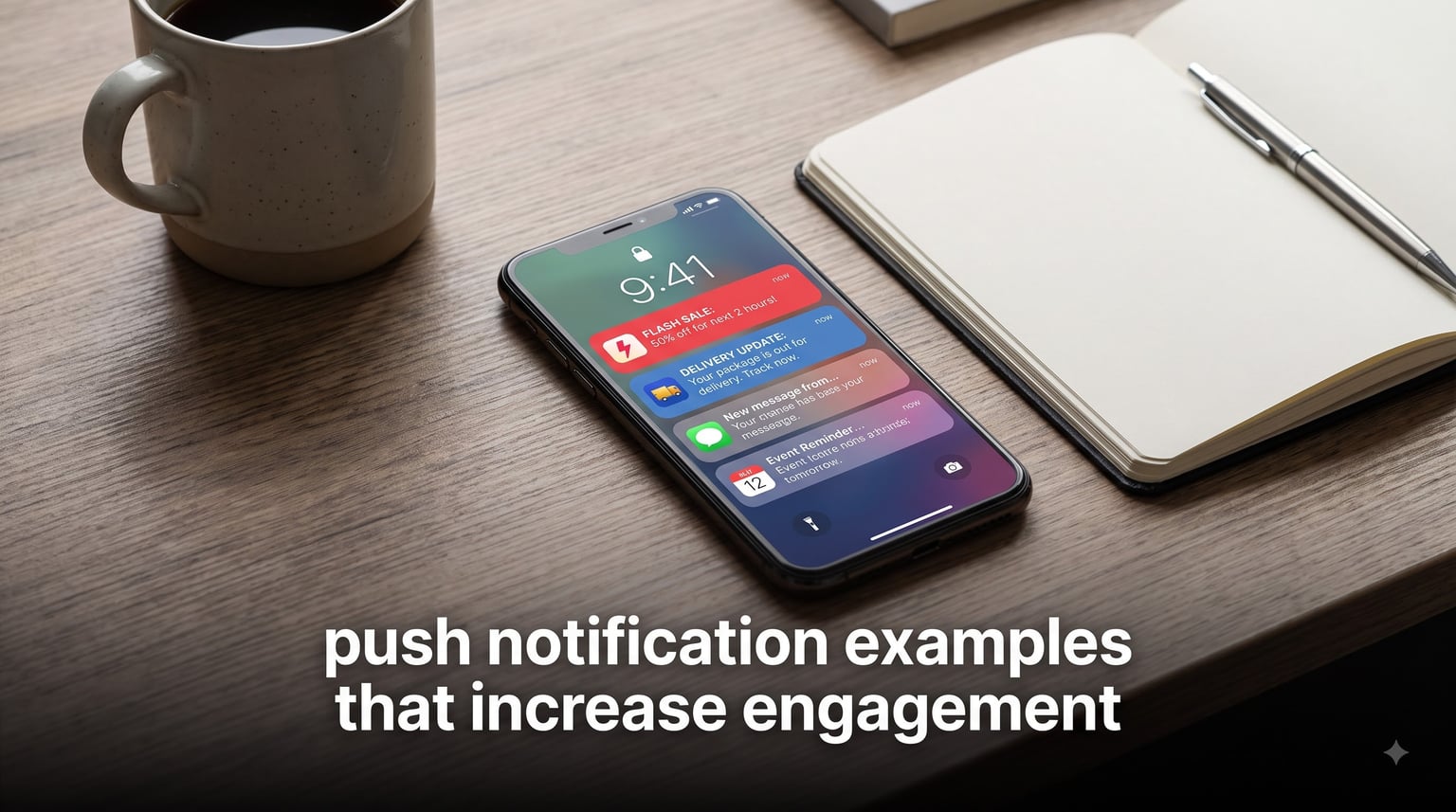
We have all been on the receiving end of a push notification that made us tap instantly, and we have all swiped away dozens that felt like spam. The difference between those two outcomes is rarely luck. After auditing hundreds of campaigns across e-commerce, fintech, gaming, and media apps, our team found that the best push notification examples that increase engagement share the same DNA: personal relevance, sharp copy, and impeccable timing.
This guide breaks down 25+ real push notification examples that increase engagement, organized two ways. First, by industry, so you can see what works for apps like yours. Second, by goal, including activation, conversion, retention, and winback campaigns.
Along the way, we will cover the psychology behind why certain notifications get clicked, the CTR benchmarks you should measure against in 2026, and the timing and frequency rules that keep uninstalls low. Every example includes the exact copy and a short note on why it works, so you can adapt it to your own app today.
One warning before we start: notification permission is a privilege, not a right. Users revoke it fast. In forum discussions across Reddit’s app development communities, the most common complaint we found was not that apps send notifications, but that apps send notifications with no clear value. Everything in this guide is built around fixing that.
Table of Contents
What Are Push Notifications and Why Do They Matter in 2026?
Push notifications are short, automated messages that an app or website sends directly to a user’s device lock screen or notification tray. They can deliver updates, reminders, news alerts, offers, or personalized content, and they appear even when the user is not actively inside the app.
Technically, push notifications work through platform services. Android apps send through Firebase Cloud Messaging (FCM), while iOS apps send through Apple Push Notification Service (APNs). Your server hands the message to these services, and they deliver it to the right device within seconds.
The business case is hard to ignore. Users who opt in to push notifications show measurably higher app engagement and retention than users who do not. Push reaches people in a place they check dozens of times a day, the lock screen, without the deliverability problems of email or the cost of paid ads.
But the average push notification gets ignored unless it earns attention. That is why studying real examples matters more than reading abstract advice. Copy patterns, timing choices, and personalization tactics are easiest to learn from concrete samples.
Push Notifications vs. In-App Notifications vs. SMS
Push notifications reach users outside the app. In-app notifications appear only during an active session, which makes them better for onboarding tips but useless for re-engagement. SMS has near-perfect open rates but carries per-message costs and stricter compliance rules.
Web push extends the same concept to desktop and mobile browsers, letting you reach users who never installed anything. Most strong engagement strategies combine several channels, with push handling time-sensitive triggers like flash sales, shipping updates, and abandoned carts.
Types of Push Notifications You Can Send Today
There are eight core types of push notifications, and each serves a different job in the user lifecycle. Here is a breakdown with a quick example of each.
- Promotional notifications announce sales, discounts, or special offers. Example: “Flash sale: 40% off sneakers, today only.”
- Transactional notifications confirm actions like orders, payments, or bookings. Example: “Your order #48213 has shipped and arrives Tuesday.”
- Behavioral trigger notifications fire automatically from user actions, like cart abandonment or a stalled onboarding flow. Example: “Still thinking about the blue jacket? It is almost sold out.”
- Location-based notifications use geofencing to message users near a physical store or relevant place. Example: “You are 2 blocks from our Broadway store. Show this for a free cookie.”
- Re-engagement notifications target dormant users with fresh reasons to return. Example: “We miss you. Here is 20% off your next order.”
- News and content alerts deliver breaking stories, scores, or new episodes. Example: “Breaking: the trade is official. Tap for full details.”
- Reminder notifications nudge users about tasks, events, or streaks. Example: “Your 7-day streak is at risk. One quick session saves it.”
- Update notifications announce new features or content inside the app. Example: “Dark mode is here. Turn it on in settings.”
Most high-performing apps blend several types rather than blasting only promotions. A healthy mix is roughly 40 percent transactional or utility value, 30 percent content, and 30 percent promotional. That ratio keeps users from tuning you out.
Top Push Notification Examples That Increase Engagement by Industry
The best push notification examples that increase engagement look different in every vertical, because user intent differs. Below are real-style examples from five industries, each with the copy and the reason it works.
E-Commerce and Retail Push Notification Examples
Example 1 – Cart abandonment: “Forgot something? Your cart misses you. Complete your order in 30 seconds.”
Why it works: cart abandonment notifications recover revenue that was already 90 percent of the way there. Sending within one hour of abandonment, while intent is still warm, consistently outperforms sends 24 hours later.
Example 2 – Back in stock: “The sneakers in your wishlist are back. Your size 10 will not last.”
Why it works: it connects a specific past behavior (wishlisting) to an urgent present event (limited restock). Scarcity plus personalization is one of the strongest click drivers in retail push.
Example 3 – Flash sale: “3 hours left. Your extra 20% off expires at midnight.”
Why it works: hard deadlines create action. Leading with the remaining time instead of the discount makes the reader feel the clock ticking.
Example 4 – Price drop: “Good news: the watch you viewed dropped from $199 to $149.”
Why it works: it rewards the user for prior browsing behavior with a concrete benefit, and it names the exact dollar figures, which builds trust.
Fintech and Banking Push Notification Examples
Example 5 – Security alert: “New login from a Chrome browser in Toronto. Was this you?”
Why it works: fintech users rank security first. Actionable notifications with a yes/no question get extremely high engagement because they feel urgent and personal.
Example 6 – Savings nudge: “You spent $120 less than usual this week. Move $80 to savings?”
Why it works: it uses the user’s own data to offer a specific, achievable action. Behavioral science shows people are far more likely to act when a suggested amount is pre-calculated.
Example 7 – Bill reminder: “Your credit card payment is due in 3 days. Pay now to avoid interest.”
Why it works: pure utility. Transactional notifications like this build the trust that makes users comfortable receiving promotional messages from the same app.
Example 8 – Goal progress: “You are 70% toward your vacation fund. Add $40 to hit your monthly target.”
Why it works: progress bars and percentages trigger the goal-gradient effect, where motivation increases as people get closer to finishing.
Gaming Push Notification Examples
Example 9 – Streak protection: “Your 12-day streak ends in 4 hours. One quick run keeps it alive.”
Why it works: loss aversion is the strongest motivator in gaming push. Framing the message around what the player will lose, not what they will gain, drives immediate opens.
Example 10 – Storytelling hook: “Once upon a time, your kingdom was attacked while you were away…”
Why it works: one gaming company famously used this narrative open, and it became one of the most cited push examples ever. Story copy stands out in a tray full of generic alerts because it reads like a message from a friend, not a marketing system.
Example 11 – Social proof: “Alex just beat your high score by 300 points. Ready for a rematch?”
Why it works: competitive social triggers work especially well when the rival is a real connection. Naming a specific person and a specific score makes it impossible to ignore.
Example 12 – Limited event: “The weekend tournament starts tonight. Rare rewards, 48 hours only.”
Why it works: event-based notifications give lapsed players a fresh, time-boxed reason to return without feeling like a generic comeback offer.
Travel and Hospitality Push Notification Examples
Example 13 – Price alert: “Flights to Tokyo just dropped 32%. $612 round trip this November.”
Why it works: the user set the alert, so relevance is guaranteed. Adding the exact price and destination turns a generic ping into an actionable deal.
Example 14 – Trip reminder: “Gate change: your flight to Denver now departs from B42. Boarding starts in 25 minutes.”
Why it works: time-critical utility is where push beats every other channel. Travelers come to rely on, and even expect, these notifications.
Example 15 – Location-based offer: “Welcome to Miami. Your hotel upgrade offer is live for the next 2 hours.”
Why it works: geo-triggered messages arrive when the user is mentally in travel mode, making them contextually perfect rather than intrusive.
Food Delivery and Media Push Notification Examples
Example 16 – Dinnertime targeting: “Craving sushi? Free delivery from your favorite spot for the next 3 hours.”
Why it works: food apps that send around meal times see dramatically higher conversion than those sending at random hours. Referencing the user’s actual order history (“your favorite spot”) multiplies the effect.
Example 17 – Order tracking: “Your driver is 5 minutes away. Meet them at the lobby.”
Why it works: transactional updates are opened nearly universally and build the daily habit that later makes promotional sends acceptable.
Example 18 – New episode: “Episode 4 of the show you watched is streaming now.”
Why it works: it references a specific behavior rather than a generic catalog push. Media apps that personalize content alerts see significantly higher retention than those sending blanket announcements.
Example 19 – Breaking news: “BREAKING: the championship game just went to overtime.”
Why it works: news alerts justify push’s instant delivery. The caps and urgency are earned because the information genuinely is time-sensitive.
Push Notification Examples Organized by Goal
Another way to use these push notification examples that increase engagement is by lifecycle goal. A message that activates a new user looks nothing like one that wins back a churned user.
Activation Examples (Day 1 to Day 7)
Example 20: “You are 1 step away from your first project. Tap to pick a template.”
New users need small, specific next actions, not feature tours. Telling them exactly how many steps remain reduces the blank-screen paralysis that kills most activations.
Example 21: “Sarah, your free trial ends in 3 days. Here is what you would lose.”
Trial-end reminders that enumerate lost value convert better than generic expiry warnings. The list of features at stake makes the loss concrete.
Conversion Examples
Example 22: “Your 20% welcome code expires tonight. Your cart is waiting.”
Pairing a deadline with the abandoned cart doubles the trigger. New users who convert in their first week retain at much higher rates, so first-purchase pushes are worth the extra aggression.
Example 23: “Upgrade now and lock in your current rate before prices change.”
Price-protection framing converts subscription upgrades because it reframes the decision as avoiding a loss rather than spending money.
Retention Examples
Example 24: “It has been a while. Your notes are safe and sound. Here is what is new.”
Gentle, low-pressure copy works for retention. Promising something fresh on return, instead of guilting the user, keeps the relationship positive.
Example 25: “Weekly recap: you saved $34 with the app this week. Tap for details.”
Value recaps remind users what the app does for them. Showing cumulative savings or progress makes the app feel indispensable.
Winback Examples
Example 26: “We saved your spot. Come back this week and your streak restarts at day 5.”
Giving returning users a head start removes the hardest part of coming back, starting over. This works especially well for fitness, learning, and gaming apps.
Example 27: “Everything changed since you left. Take a 60-second tour of what is new.”
Products evolve, and lapsed users often left because of a fixable frustration. Teasing improvements gives them a genuine reason for a second chance.
Best Practices for Writing Push Notifications That Convert
Every example above follows a set of rules you can apply to your own copy. Here are the seven practices that matter most, drawn from what the top-performing campaigns share.
- Lead with value, not with your brand. The user should gain something by tapping: information, savings, or delight. Notifications that only announce the brand’s existence train users to ignore you.
- Keep it under 40 characters for the title. Long titles get truncated on most lock screens, and the cutoff point varies by device. Front-load the hook so the first ten words carry the message.
- Personalize beyond the first name. Name personalization helps, but behavior-based personalization wins. “The boots you viewed” outperforms “Hi Sarah, check our sale” every time.
- Use deep linking. Every notification should open the exact screen the copy promised, not the home screen. Making users search after tapping is the fastest way to lose them.
- Create honest urgency. Deadlines drive clicks, but fake countdown timers destroy trust. Only use urgency when a real limit exists.
- Add one clear call to action. Rich push notifications with action buttons let users respond without opening the app. Offer at most two choices, like “Buy now” and “Remind me later.”
- Test everything. A/B test push notifications the way you would test email subject lines. Small copy changes routinely swing CTR by 50 percent or more.
The Psychology Behind Notification Copy
Four psychological triggers explain why the examples in this guide work. Loss aversion makes “your streak ends tonight” stronger than “keep your streak going.” Curiosity gaps make “you will not believe what happened” clickable, though overuse reads as spammy.
Social proof, like “Alex beat your score,” borrows credibility from real people. And the goal-gradient effect means progress framing, “you are 70% there,” motivates more than achievement framing.
Use these triggers ethically. A notification that manipulates a click but delivers nothing valuable earns you a swipe-away, and repeated swipe-aways earn you an uninstall.
Personalization, Segmentation, and Timing Strategies
Great copy fails if it reaches the wrong person at the wrong moment. Segmentation is what turns a generic blast into a message that feels hand-written.
Start with four core segments: new users in their first week, active power users, at-risk users whose session frequency dropped, and dormant users inactive for 30 or more days. Each segment should receive a different mix of the example types above.
Then layer behavioral targeting on top. Segment by browsing history, past purchases, content consumed, location, and app settings. A music app might segment by genre preference; a news app by topics followed. The more the segment reflects a real choice the user made, the better the notification performs.
When to Send Push Notifications
The best send times depend on your audience, but consistent patterns exist. For consumer apps, mid-morning between 10 and 11 a.m. and early evening between 6 and 8 p.m. local time tend to perform best. Lunch hours work well for food delivery by obvious logic.
Always send in the user’s local timezone, not your server’s. A notification that arrives at 3 a.m. does not just get ignored, it gets the app muted.
Better still, use behavior-triggered timing. A cart abandonment push sent one hour after the abandonment event will outperform any broadcast at a “best” hour, because relevance beats the clock.
Frequency Capping and Notification Fatigue
Notification fatigue is the silent killer of engagement. When users receive too many messages, they stop seeing all of them, including the ones that matter. Forum threads across Reddit’s app communities repeat the same complaint: apps that send daily promotions get muted within a week.
Set a frequency cap of one to two pushes per day for most apps, and reserve a second message for genuinely urgent transactional events. Let users choose their own preferences inside the app, including a quiet hours setting. Giving users control paradoxically increases the total notifications they accept.
Watch two leading indicators of fatigue: declining CTR over time within a segment, and rising notification opt-out rates. If either trends up, cut volume before you lose the channel entirely.
How to Ask for Push Notification Permission
Never request permission on first launch. Users say no when they do not yet understand the value, and in most browsers and operating systems, a denied permission is nearly impossible to reverse.
Instead, use a soft ask. Show your own in-app screen explaining what notifications the user will receive, with concrete examples, then trigger the native prompt only after they tap “yes, notify me.” Apps that use this two-step pattern routinely double their opt-in rates compared to apps that fire the system prompt cold.
Time the ask to a moment of demonstrated value, like right after a first purchase or a completed level. The user has just experienced the app’s benefit and is most willing to hear from you again.
How to Measure Push Notification Success and CTR Benchmarks
Track four metrics for every campaign: delivery rate, open rate, click-through rate (CTR), and the conversion or retention event that follows the click. CTR alone can be misleading if the landing experience is broken, so always connect the tap to a downstream outcome.
So what is a good CTR for push notifications? Across industries in 2026, average push CTR lands between 2 and 5 percent. Anything above 10 percent is excellent, and well-personalized behavioral triggers regularly reach it. Rich push notifications with images or buttons tend to outperform plain text by a meaningful margin.
Benchmark your own numbers against your industry and your past performance rather than against a global average. A media breaking-news app and a banking app will have very different healthy ranges.
Run A/B tests on one variable at a time: title length, emoji use, send time, or CTA wording. Give each test enough volume to reach significance, and document results so your team compounds learning instead of relearning the same lessons.
Frequently Asked Questions
Can you give me some examples of push notifications?
Yes. Effective examples include cart abandonment messages like u0022Forgot something? Your cart is waiting,u0022 streak reminders like u0022Your 12-day streak ends in 4 hours,u0022 back-in-stock alerts like u0022The sneakers in your wishlist are back in your size,u0022 and utility updates like u0022Your order #48213 has shipped.u0022 The best examples share personal relevance, a clear benefit, and strong timing.
What is a good CTR for push notifications?
A good push notification CTR falls between 2 and 5 percent across industries. Anything above 10 percent is excellent and is usually achieved with well-personalized behavioral triggers, rich media, and precise timing. Benchmark against your own industry and past campaign performance rather than a global average.
What are the best practices for push notifications?
The core best practices are: lead with user value instead of your brand, keep titles under 40 characters, personalize based on behavior rather than just a first name, use deep links to the exact screen, create honest urgency only, include one clear call to action, and A/B test copy and timing. Cap frequency at one to two messages per day to prevent notification fatigue and opt-outs.
What are the different types of push notifications?
The eight main types are promotional, transactional, behavioral trigger, location-based, re-engagement, news and content alerts, reminders, and feature update notifications. High-performing apps usually blend several types, keeping the mix around 40 percent transactional or utility, 30 percent content, and 30 percent promotional.
How often should I send push notifications?
For most apps, one to two push notifications per day is the safe maximum, with the second reserved for genuinely urgent transactional events like delivery updates or security alerts. Sending daily promotional blasts is the fastest route to being muted or uninstalled. Let users set their own frequency preferences and quiet hours inside the app.
How do I increase push notification CTR?
Increase push CTR by personalizing messages from user behavior, sending at the user’s local optimal time, using rich notifications with images and action buttons, writing benefit-first titles under 40 characters, deep linking to the exact relevant screen, and triggering messages from real events like cart abandonment instead of batch broadcasts. A/B testing one variable at a time compounds these gains.
Final Thoughts on Building Notifications Users Actually Want
The push notification examples that increase engagement are never the loudest ones. They are the most relevant ones: a cart reminder timed to the hour, a streak saved at the last minute, a price drop on the exact item the user wanted.
Your next step is simple. Pick three examples from this guide, adapt the copy to your app, and put them into a two-week A/B test against your current messages. Measure CTR and the downstream conversion, then iterate.
Treat every notification as a small promise to the user. Keep those promises consistently, and push will become your highest-ROI engagement channel in 2026 and beyond.