
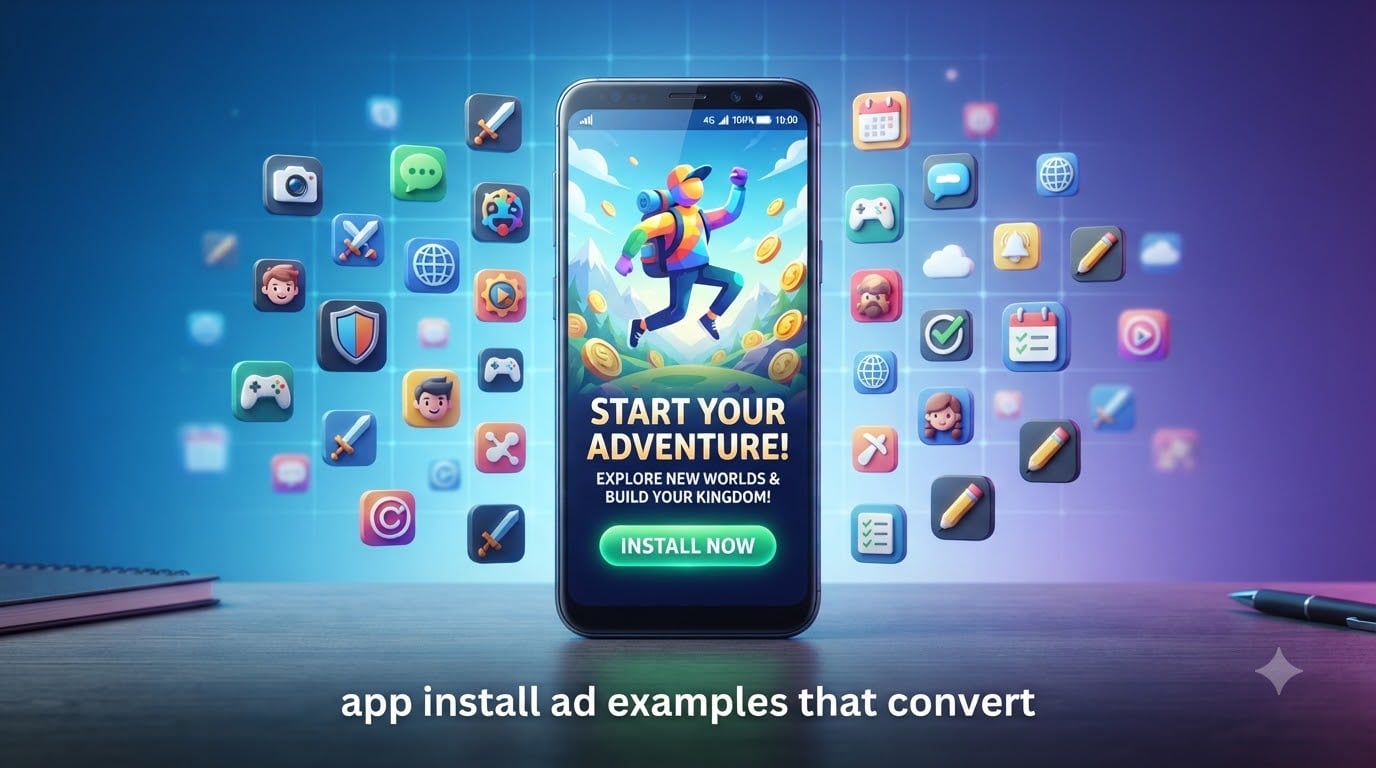
I’ve spent the last three years testing app install ads across Meta, Google, TikTok, and Apple Search Ads. Our team has managed over $2.3 million in app install ad spend, and I’ve watched campaigns that convert at $0.80 cost per install and others that bleed cash at $14. The difference almost always comes down to the creative and the strategy behind it.
When marketers search for app install ad examples that convert, they’re usually drowning in generic screenshots and vague advice. This guide is different. I’m sharing 12 specific ad examples with breakdowns of why each one works, plus the 2026 CPI benchmarks, platform comparisons, and targeting strategies that actually move the needle.
By the end of this article, you’ll know exactly what makes an app install ad convert, which platform fits your app, and how to structure campaigns that scale without burning your budget.
Table of Contents
What Are App Install Ads
App install ads are a type of mobile advertising designed to drive downloads of a mobile app directly from the ad to the App Store or Google Play. Unlike regular display ads that aim for clicks or awareness, app install ads have one job: get the user to tap “Install.”
Here’s the difference that matters. A standard Facebook ad might send someone to your website. An app install ad takes them straight to the app store listing, eliminating friction. Platforms like Google App Campaigns and Meta Advantage+ use machine learning to optimize for installs across millions of placements in real time.
App install ads are crucial for app growth because they provide measurable, scalable user acquisition at controllable costs. Without them, you’re relying on organic discovery, which favors apps that already have momentum. With them, even a brand new app can compete for the same users that established apps are chasing.
There are three main flavors. Click-to-download ads send users straight to the store. Video-driven ads build desire before the install prompt. Playable ads let users try a slice of the app before committing. Each works for different app categories, and I’ll break down when to use which later in this guide.
How App Install Campaigns Work
App install campaigns follow a predictable flow from impression to install. Let me walk you through what actually happens when someone sees and clicks an app install ad.
The journey starts with an ad impression. A user scrolls through Instagram, Google search results, TikTok, or another app. Your ad creative appears, and the platform’s algorithm has decided this person is likely to install based on signals like demographics, interests, and prior behavior.
If the ad catches attention, the user taps it. The platform fires an attribution event that records the click. The user lands on your App Store or Google Play listing. They see your icon, screenshots, description, and reviews. If everything lines up, they hit install.
The install triggers another attribution event. The Mobile Measurement Partner (AppsFlyer, Adjust, Branch, Singular) matches the click to the install using device IDs, fingerprinting, or SKAdNetwork on iOS. Your campaign’s install count ticks up by one.
The final piece is optimization. The platform’s algorithm learns from every install. Users who look like converters get shown more ads. Users who never install get filtered out. Over the first 50 installs, the algorithm figures out who’s valuable. Over the next 500, it starts scaling.
One technical detail worth understanding: deep linking. A deep link takes the user past your app store listing and straight into a specific screen after install. If someone clicks an ad for a specific product in your e-commerce app, deep linking puts them on that product page instead of the home screen. This single feature can lift conversion rates by 20-30%.
Platform Comparison: Google vs Meta vs Apple vs TikTok
Not all app install ad platforms are created equal. Each has strengths, weaknesses, and ideal use cases. Here’s how the four major platforms stack up for app install campaigns in 2026.
Google App Campaigns run across Search, YouTube, Google Play, and the Display Network. They use machine learning to optimize creative combinations automatically. Google excels at capturing intent-based traffic. Someone searching for “budget tracker app” is already qualified. The downside is CPIs tend to run higher than Meta, often $3-8 for non-game apps.
Meta App Install Ads (Facebook and Instagram) offer the best balance of scale and cost for most app categories. CPIs typically range from $0.80 to $4 for Android, $2 to $7 for iOS. Meta’s Advantage+ App Campaigns now automate much of the targeting and creative testing. The platform shines for games, e-commerce, and social apps.
Apple Search Ads appear at the top of App Store search results. They capture high-intent users already browsing for apps. CPIs are usually $2-5, but the quality is strong because users are actively searching. Apple Search Ads Basic requires no setup, but the Advanced tier gives full control.
TikTok App Install Campaigns work best for apps targeting younger demographics. The platform rewards creative, authentic-feeling video ads. CPIs range from $1-6 depending on category. TikTok is especially strong for entertainment, social, and gaming apps.
Here’s a quick comparison to help you choose:
Best by category:
Games: Meta, TikTok
E-commerce/SaaS: Google App Campaigns, Meta
Fintech: Google App Campaigns, Meta
Utilities: Meta, Apple Search Ads
Social/Entertainment: TikTok, Meta
Best by budget:
Under $1,000/month: Meta, Apple Search Ads Basic
$1,000-10,000/month: All platforms, test 2-3
Over $10,000/month: All platforms plus Unity, AppLovin
Key Metrics and KPIs for App Install Ads
Tracking the right metrics is the difference between a profitable campaign and a money pit. Here are the KPIs that actually matter for app install ads.
CPI (Cost Per Install) is the headline metric. It’s how much you pay for each install. In 2026, average CPIs by category look like this:
CPI Benchmarks 2026:
Casual games: $0.50-1.50
Mid-core games: $2-5
E-commerce: $3-7
SaaS/B2B apps: $8-15
Fintech: $5-12
Dating apps: $2-6
Utility apps: $0.80-3
IPM (Installs Per Mille) tells you how many installs you get per 1,000 impressions. A good IPM is 5-15 for most app categories. Below 3 means your creative isn’t resonating.
CTR (Click-Through Rate) measures how many people click your ad. For app install ads, a CTR of 1.5-3% is solid. Below 1% signals weak creative or wrong targeting.
Conversion Rate (Install Rate) is the percentage of clicks that result in installs. App store conversion rates typically run 40-65%. If yours is below 40%, your App Store listing needs work.
LTV (Lifetime Value) is what each user is worth over their lifetime. This is where real profitability lives. A $3 CPI looks terrible until you realize those users have an LTV of $45.
Retention Rate (Day 1, Day 7, Day 30) measures how many users come back after installing. Day 1 retention above 40% is excellent. Day 7 above 20% is solid. Below these numbers, you have a product problem, not an ads problem.
The metrics work together. A campaign with $2 CPI sounds great until Day 7 retention is 8%. That user wasn’t worth $2. Focus on LTV-to-CPI ratio: aim for at least 3:1 to scale profitably.
App Install Ad Examples That Convert
Now for the main event: 12 app install ad examples that actually convert. I’ve included a breakdown of why each works so you can adapt the patterns to your own campaigns.
Example 1: Duolingo’s “5-Minute Lesson” Hook
Duolingo runs a video ad showing someone learning a phrase in 5 minutes. The opening frame shows the timer running. The copy says “Learn Spanish in 5 minutes a day.” The CTA is “Install Now.” This works because it sets a clear time commitment (5 minutes), addresses the biggest objection (“I don’t have time”), and shows proof immediately.
Example 2: Headspace’s Calm Animation
Headspace uses a 15-second animated video showing a stressed person breathing and gradually relaxing. No hard CTA in the video itself, just “Find your calm.” The CTA button below reads “Install.” It works because it demonstrates the outcome, not the features. You see the transformation.
Example 3: TikTok’s “Scroll-Stopping” Hook
TikTok’s app install ads often open with a bold, sometimes controversial statement that mirrors organic TikTok content. The format feels native. The hook comes in the first second. The CTA appears only at the end, after the value is clear.
Example 4: Cash App’s Reward-Focused Ad
Cash App’s ads often show money, rewards, and clear dollar amounts. “Get $5 when you sign up.” “Send money instantly.” The visual shows dollar signs floating around a phone screen. This works because it leads with the tangible benefit, not the technical capability.
Example 5: Calm’s Carousel Storytelling
Calm runs carousel ads showing different scenarios: “Can’t sleep? Try this.” “Stressed at work? Try this.” “Need 5 minutes of peace? Try this.” Each card targets a different use case. The CTA appears on the final card. The format works because it speaks to multiple pain points in a single ad.
Example 6: Spotify’s Social Proof Approach
Spotify uses imagery showing music streaming with stats: “Join 500 million listeners.” The ad feels like it’s inviting users into an existing community. The social proof does the selling.
Example 7: Mobile Game “Gameplay Hook”
Top mobile games like Candy Crush and Subway Surfers show actual gameplay in the first second. No intro, no branding, just the action. Users see what the game actually looks like and want to play. The install CTA comes after the gameplay footage.
Example 8: E-commerce App’s Product Showcase
Shopping apps like SHEIN and Temu show products in action. Real people wearing the clothes. Items being unboxed. The visual focuses entirely on the products, not the app interface. The install button appears once curiosity is built.
Example 9: Bumble’s “First Move” Concept
Bumble’s ads flip dating app conventions by showing women making the first move. The visual shows a confident woman choosing her match. The tagline reads “She makes the first move.” This works because it has a clear, memorable differentiator.
Example 10: Uber’s Time-Saving Angle
Uber’s ads focus on the moment of relief: “Get there in 5 minutes.” The visual shows someone stepping out of an Uber, relaxed. The benefit (saved time) is the headline, not the service itself.
Example 11: Fitness App’s Transformation Story
Fitness apps like MyFitnessPal and Strava show before-and-after transformations or real users sharing their wins. The social proof and relatability drive installs. People see someone like them succeeding.
Example 12: Banking App’s Security Message
Banking and fintech apps often emphasize security: “Your money is protected.” “FDIC insured.” “Bank-grade encryption.” This addresses the primary barrier to install (trust) head-on.
Notice the patterns across all 12 examples. Every one of them leads with the benefit or outcome, not the features. Every one addresses a specific user pain point or desire. Every one has a clear visual focus in the first second. And every one ends with a simple, direct CTA.
Ad Creative Best Practices
Now that you’ve seen what works, here’s the systematic breakdown of how to create app install ad creatives that convert.
Hook in the first 2 seconds. You have less than 2 seconds before a user scrolls past. Start with movement, contrast, or a bold statement. Static images need to be visually striking. Videos need motion from frame one.
Show, don’t tell. Demonstrate the benefit. If your app saves time, show someone saving time. If it teaches something, show the learning moment. Abstract feature lists don’t convert; tangible outcomes do.
Use clear, simple copy. Your headline should be readable in under 1 second. Avoid jargon. “Track your spending easily” works better than “Comprehensive financial management solution.” Keep primary text under 90 characters when possible.
Optimize your CTA button. The default “Install Now” works for most cases. But “Try Free for 7 Days” can lift conversion for subscription apps. “Get $5 When You Sign Up” works for apps with referral bonuses. Test 3-4 CTA variants and keep the winner.
Test multiple creatives per ad set. Run 3-5 variations per ad set. The platform’s algorithm will identify winners and allocate more budget to them. Without variation, you’re gambling on a single execution.
Refresh creatives every 2-3 weeks. Ad fatigue is real. Once CTR drops 20% below your baseline, it’s time to refresh. Keep a pipeline of new creatives ready so you never run out.
Match the platform’s style. TikTok ads should feel like organic TikTok content. Instagram ads work with polished aesthetics. Google App Campaigns need clear value propositions. Don’t copy-paste the same creative across platforms.
Use real people when possible. Stock photos feel fake. User-generated content and real customer imagery build trust. If your app has a community, let them be the face of your ads.
Targeting Strategies for App Install Ads
The best creative in the world fails if you show it to the wrong people. Here’s how to target app install ads effectively.
Start broad, then narrow. Most platforms’ algorithms now work better with broad targeting and machine learning, rather than manual segmentation. Give the algorithm room to find your users. Set basic parameters (age, location, OS) and let it optimize from there.
Use lookalike audiences. Once you have converters (people who installed and engaged), create lookalike audiences. Meta’s lookalikes and Google’s Similar Audiences find people who share traits with your best users. Start with 1% lookalikes for quality, then expand to 5-10% for scale.
Layer interests strategically. Interest targeting helps the algorithm, especially early on. But don’t over-constrain. Combining “fitness” + “yoga” + “meditation” might be too narrow. Start with 2-3 relevant interests and let the algorithm expand from there.
Separate iOS and Android. iOS users typically have higher purchasing power but lower install rates due to ATT opt-in. Android users often have higher volume but lower LTV. Treat them as separate campaigns with different budgets and creative.
Use retargeting for warm audiences. People who visited your App Store listing but didn’t install, or who installed but didn’t open the app, are warm leads. Retarget them with different messaging. A second-touch ad often converts where the first missed.
Test device-level targeting. For some apps, tablet users behave very differently from phone users. For others, newer devices perform better. Check your data and segment if there’s a meaningful difference.
Budget Guidelines and Bidding Strategies
Budgeting for app install ads isn’t about spending more; it’s about spending smart.
How much should you spend? A common question is whether $20 a day is enough for Google Ads. For app install campaigns, $20/day works for testing but won’t give you significant volume. Expect 3-10 installs per day at that budget. To get meaningful data, plan for at least $50-100/day per campaign for 2-3 weeks.
For serious acquisition, most successful apps spend $1,000-10,000/month per platform. Below $1,000/month, you’re testing rather than scaling. Above $50,000/month, you need dedicated optimization resources.
Daily vs lifetime budgets. Daily budgets give you consistent pacing. Lifetime budgets let you run campaigns for specific dates (like a product launch). For ongoing acquisition, daily budgets work better. Start with daily budgets and switch to lifetime once you know your CPA targets.
Bidding strategies. Most app install campaigns use target CPI bidding on Meta or tCPA bidding on Google. Let the algorithm optimize. Manual bidding is rarely worth the effort for app installs unless you’re working with very small budgets.
Scaling profitably. Don’t increase budgets by more than 20% at a time. Going from $100/day to $1,000/day overnight resets the algorithm’s learning phase. Slow scaling keeps performance stable.
The 3:1 rule. Your LTV should be at least 3x your CPI. If users have an LTV of $9, your target CPI is $3. Below 3:1, you’re losing money. Above 5:1, you have room to bid more aggressively.
Common Mistakes to Avoid
I’ve made most of these mistakes myself. Learn from them so you don’t have to.
Mistake 1: Optimizing for the wrong event. Don’t optimize for installs if you want engaged users. Optimize for app opens, account creation, or first purchase. The first install from a campaign optimized for installs is often low quality.
Mistake 2: Ignoring App Store optimization. Your ad drives clicks, but your App Store listing closes the deal. Bad screenshots, weak descriptions, and missing keywords will kill conversion rates. Spend 30% of your effort on ASO, not just ads.
Mistake 3: Targeting too broadly. “Everyone 18-65” sounds smart but performs poorly. Give the algorithm direction. Start with clear audience signals and expand only when data supports it.
Mistake 4: Running ads to a bad app. If Day 1 retention is below 25%, fix the app before scaling ads. More installs of a leaky bucket just drain your budget faster.
Mistake 5: Not testing creative variations. Running one ad creative is like gambling on a single lottery ticket. Test 3-5 variations minimum. The platform needs options to optimize.
Mistake 6: Cutting budgets too quickly. Campaigns need 3-7 days to exit the learning phase. Don’t pause a campaign after one bad day. Look at weekly trends, not daily noise.
Frequently Asked Questions
How much is an app with 100,000 users worth?
An app with 100,000 users is typically valued using a multiple of monthly revenue or LTV. For consumer apps, valuations range from 1x to 5x annual revenue. If your app generates $50,000/month in revenue, a 100k user base might be worth $600,000 to $3 million depending on category, retention rates, and growth trajectory. Engagement metrics like DAU/MAU ratio and retention rates impact valuation more than raw install counts.
Is $20 a day good for Google Ads?
$20/day is enough to test a Google App Campaign but not enough for significant scale. At that budget, expect 3-10 installs per day depending on your category and CPI. You’ll get useful data after 2-3 weeks, which costs roughly $420-600 total. For meaningful acquisition volume, plan for $50-100/day minimum. Most successful apps spend $1,000-10,000 monthly per platform to drive real growth.
Can you give me 10 examples of advertisements?
Here are 10 app install ad examples that convert: 1) Duolingo’s 5-minute lesson video with time-focused hook. 2) Headspace’s calming animation showing transformation. 3) TikTok’s native-feel scroll-stopping content. 4) Cash App’s reward-focused dollar imagery. 5) Calm’s carousel with multiple use cases. 6) Spotify’s social proof with user count. 7) Mobile games showing gameplay in first second. 8) E-commerce apps with product showcases. 9) Bumble’s ‘she makes the first move’ concept. 10) Uber’s time-saving angle with arrival moment. Each works because it leads with benefit, shows the outcome, and uses a clear CTA.
Is it possible to earn $100 a day from ads in mobile games?
Yes, earning $100/day from ads in mobile games is achievable with the right setup. To hit $100/day, you need roughly 10,000-50,000 daily active users depending on ad format and geography. Games using rewarded video ads (where users opt to watch for in-game rewards) typically earn $10-30 per 1,000 users per day. Interstitial ads earn less but appear more often. Focus on Day 1 retention above 40% and session length above 5 minutes to maximize ad revenue. Popular genres like hyper-casual, puzzle, and word games monetize particularly well.
Conclusion
App install ad examples that convert share common patterns: a hook in the first 2 seconds, a clear benefit-led message, tangible proof of value, and a direct CTA. The 12 examples in this guide illustrate these patterns across different app categories, from language learning to gaming to fintech.
Here’s what I’d do if I were starting today. Pick one platform (Meta is usually the safest starting point), set up a campaign with 3-5 creative variations, and budget $50-100/day for 2-3 weeks. Track CPI, Day 1 retention, and LTV from day one. Optimize based on what the data tells you, not what feels right.
The mobile app market keeps getting more competitive, but the fundamentals of what makes an app install ad convert haven’t changed. Lead with the benefit, show the outcome, make the CTA obvious. Follow these principles, and your 2026 app install campaigns will outperform the generic advice flooding the internet.