
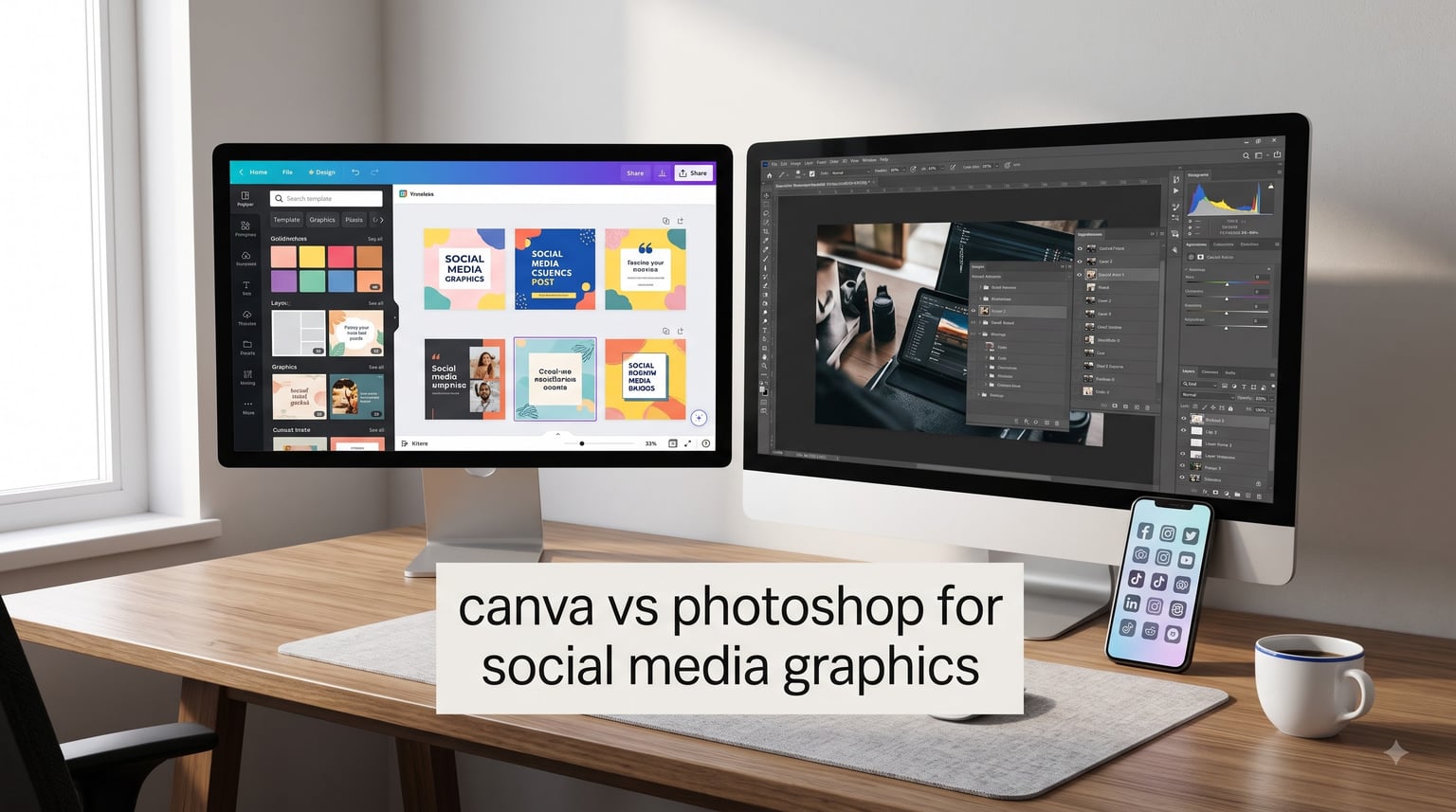
Choosing between Canva and Photoshop for social media graphics depends on your skill level, workflow needs, and how much time you want to invest. Canva is a cloud-based, drag-and-drop design platform built for speed and ease of use. Photoshop is a professional desktop application that offers pixel-level precision and advanced editing power. I have used both tools extensively for social media projects, and the right choice comes down to what you are trying to create and how quickly you need it done.
This 2026 comparison breaks down how each tool handles social media graphics. I will cover key features, pricing, learning curves, AI tools, and real-world use cases. By the end, you will know exactly which tool fits your needs.
Table of Contents
What Is Canva and How Does It Work for Social Media Graphics
Canva is a web-based design platform launched in 2013 that focuses on accessibility and speed. It runs in your browser or mobile app, requires no installation, and uses a drag-and-drop interface that anyone can learn in minutes. For social media graphics, Canva offers thousands of pre-built templates sized for Instagram, Facebook, Twitter, TikTok, LinkedIn, YouTube, and more.
The platform includes a massive library of stock photos, icons, illustrations, and fonts. You can upload your own assets or choose from Canva’s collection. The Brand Kit feature (available in Pro plans) lets teams store logos, color palettes, and brand fonts for consistent styling across all social media graphics.
Key Canva Features for Social Media Graphics
Templates: Canva has over 1 million templates. Many are designed specifically for social media platforms. You can search by platform, format, or style and customize colors, text, and images in seconds.
Magic Studio AI Tools: Canva’s AI suite includes Magic Write for generating captions, Magic Edit for replacing objects in photos, Magic Expand for extending image backgrounds, and Magic Switch for converting designs to different sizes automatically. These tools speed up common social media tasks.
Collaboration: Teams can edit designs together in real time. You can leave comments, assign permissions, and share templates across your organization. This makes Canva popular with marketing teams and agencies.
Content Planner: Canva Pro includes a content planner that lets you schedule posts directly to Instagram, Facebook, LinkedIn, Pinterest, and other platforms. You can design and publish from one dashboard.
Mobile App: Canva’s mobile app lets you create and edit social media graphics on your phone. This is useful for creators who need to post content while traveling or away from a computer.
I have found Canva most effective for creating quick social media graphics that look polished without requiring design expertise. The templates save time, and the AI tools handle simple edits that would take longer in traditional software.
What Is Adobe Photoshop and How It Handles Social Media Graphics
Adobe Photoshop is a professional image editing application first released in 1990. It runs on Windows and macOS as a desktop program and offers unmatched control over pixel-level editing. Photoshop is the industry standard for photo retouching, digital art, and complex image manipulation. For social media graphics, Photoshop provides precision and creative freedom that Canva cannot match.
Photoshop uses a layer-based editing system. You can place images, text, shapes, and effects on separate layers and adjust each independently. This non-destructive workflow lets you make changes without altering original content. Masks, adjustment layers, and Smart Objects give you fine-grained control over every element.
Key Photoshop Features for Social Media Graphics
Layer-Based Editing: Photoshop’s layer system is its core strength. You can stack dozens of elements, apply masks, blend modes, and effects, and adjust each layer individually. This makes complex compositing possible.
Generative Fill: Photoshop’s AI-powered Generative Fill uses Adobe Firefly to add, remove, or extend content in images. You can type a prompt like “add clouds” and Photoshop generates realistic results. This tool has changed how designers approach photo manipulation.
Precision Tools: Photoshop offers advanced selection tools, pen paths, vector shapes, and brush controls. You can make pixel-perfect adjustments that are impossible in Canva.
RAW Processing: If you work with photography, Photoshop can process RAW files with full control over exposure, color, and detail. This is essential for photographers creating social media content from their own images.
Creative Cloud Integration: Photoshop connects with other Adobe apps like Illustrator, After Effects, and Premiere Pro. You can import vectors, video frames, or 3D assets and incorporate them into social media graphics.
Actions and Automation: Photoshop lets you record sequences of steps as Actions and apply them to batches of images. If you need to resize 50 photos for different social platforms, Actions can automate the process.
Our team uses Photoshop when projects require detailed retouching, complex compositing, or brand-accurate color work. The learning curve is steep, but the creative control is unmatched.
Canva vs Photoshop: Head-to-Head Comparison
This comparison covers the features that matter most for social media graphics. I have evaluated each tool across eight key categories.
Ease of Use
Canva wins on ease of use. The drag-and-drop interface requires no training. You can open Canva, pick a template, and publish a design in under five minutes. New users can create professional-looking social media graphics on day one.
Photoshop has a steep learning curve. Mastering layers, masks, and adjustment tools takes weeks or months. Professional designers spend years refining their Photoshop skills. If you need to produce content immediately, Photoshop will slow you down.
Templates and Assets
Canva offers over 1 million templates, including thousands sized for social media platforms. The template library is searchable by format, style, and use case. Stock photos, icons, and illustrations are included with subscription plans.
Photoshop includes no templates. You start with a blank canvas and build from scratch. Adobe Stock offers assets, but these cost extra. If you need quick turnaround, Canva’s template advantage is significant.
AI Tools
Both platforms have invested in AI features. Canva’s Magic Studio offers Magic Write for text generation, Magic Edit for object replacement, Magic Expand for extending backgrounds, and Magic Switch for resizing. These tools are accessible and require no technical knowledge.
Photoshop’s Generative Fill and Generative Expand use Adobe Firefly AI. These tools are powerful for photo manipulation, but they require understanding of selections and layers. The results are often more realistic than Canva’s AI outputs, especially for complex edits.
Collaboration
Canva excels at collaboration. Multiple team members can edit designs simultaneously, leave comments, and share brand assets. The platform is built for teams working together on social media content.
Photoshop has added collaboration features through Creative Cloud, but the workflow is not as smooth. You can share files via cloud documents, but real-time co-editing is limited compared to Canva.
Photo Editing Power
Photoshop is the clear winner for photo editing. It offers RAW processing, frequency separation, luminosity masks, and advanced retouching tools. Professional photographers and digital artists choose Photoshop for its precision.
Canva handles basic photo adjustments like brightness, contrast, and filters. It cannot match Photoshop’s control over color, detail, and manipulation. If your social media graphics involve complex photo work, Photoshop is necessary.
Export and Publishing
Canva exports to PNG, JPG, PDF, SVG, GIF, and MP4 (for animated designs). It offers direct publishing to social media platforms through its Content Planner. You can design, schedule, and post without leaving the app.
Photoshop exports to nearly every image format, including specialized options for web, print, and video. However, it does not include social media scheduling. You must export files and upload them to each platform separately.
Performance and Platform
Canva runs in any web browser and on mobile apps. It requires an internet connection for full functionality. Performance depends on browser speed and network quality. Large designs with many elements can slow down.
Photoshop runs as a desktop application. It uses your computer’s processing power, so performance scales with hardware. Photoshop handles massive files and complex layer stacks smoothly on capable machines. No internet connection is needed for editing.
Learning Resources
Canva offers in-app tutorials, a design school with free courses, and extensive help documentation. Most users learn by doing without formal training.
Photoshop has decades of tutorials, courses, and community resources. Adobe’s official tutorials cover fundamentals to advanced techniques. The depth of learning material is greater, but so is the time investment required.
Canva vs Photoshop Pricing Compared
Pricing is a major factor for creators choosing between these tools. Here is how the costs stack up.
Canva Pricing
Free Plan: Canva Free includes basic design tools, 5GB of cloud storage, and limited templates. You can create social media graphics, but you will see watermarks on some premium elements.
Canva Pro: The Pro plan costs $12.99 per month or $119.99 per year. It includes all templates, 100GB of storage, Brand Kit, Content Planner, Magic Studio AI tools, and background removal. This is the plan most social media managers choose.
Canva for Teams: The Teams plan starts at $14.99 per month for the first 5 people. It adds admin controls, team templates, and advanced collaboration features.
Photoshop Pricing
Photography Plan: Adobe offers a Photography Plan at $9.99 per month that includes Photoshop, Lightroom, and 20GB of cloud storage. This is the most affordable way to get Photoshop.
Single App Plan: Photoshop alone costs $22.99 per month with 100GB of cloud storage. Annual commitment is required for the best pricing.
Creative Cloud All Apps: The full Creative Cloud suite costs $54.99 per month. This includes Photoshop, Illustrator, Premiere Pro, After Effects, and other Adobe apps.
Cost Comparison Summary
Canva Pro at $12.99 per month is more affordable than Photoshop’s standalone plan at $22.99 per month. However, the Photography Plan at $9.99 per month makes Photoshop competitive if you do not need Canva’s templates and collaboration features.
I recommend starting with Canva Free to test the platform. If you need more power, Canva Pro offers strong value for social media creators. Photoshop is worth the cost if you need professional photo editing or plan to work in design long-term.
When to Choose Canva for Social Media Graphics
Canva is the right choice for several specific use cases. I have identified the scenarios where it outperforms Photoshop.
You need quick turnaround. Canva’s templates let you create social media graphics in minutes. If you manage multiple accounts and need daily content, Canva’s speed is invaluable.
You work on a team. Canva’s real-time collaboration and shared Brand Kit make it ideal for marketing teams. Everyone can access approved assets and maintain brand consistency.
You are a beginner or non-designer. Canva requires no design training. Small business owners, social media managers, and content creators without a design background can produce professional graphics immediately.
You manage multiple social media platforms. Canva has templates sized for every platform. The Magic Switch tool lets you resize one design for Instagram, Facebook, Twitter, and more with one click.
You want all-in-one publishing. Canva’s Content Planner lets you schedule and publish posts directly. You save time by avoiding the export-upload-schedule workflow.
Your budget is limited. Canva Free provides real value. Canva Pro is affordable for most creators. You avoid the subscription commitment that Adobe requires.
I have seen solo creators and small teams build entire social media workflows in Canva. One Reddit user noted, “For quick and easy designs for social media posts, Canva is great.” Another said, “I switched from Photoshop to Canva and don’t regret it for social media work – faster turnaround, easier collaboration.”
When to Choose Photoshop for Social Media Graphics
Photoshop excels in scenarios that require creative control and professional precision. Consider these use cases.
You need pixel-perfect editing. Photoshop gives you control over every pixel. If your social media graphics require precise masking, compositing, or retouching, Photoshop is essential.
You work with photography. Photographers creating social media content from their own images need Photoshop’s RAW processing, color grading, and retouching tools. Canva cannot match this capability.
You create complex composites. If your designs combine multiple images, blend modes, and custom effects, Photoshop’s layer system provides the control you need.
You are building a design career. Photoshop is an industry-standard skill. If you plan to work in graphic design, digital art, or professional photo editing, learning Photoshop is an investment in your career.
You need advanced AI manipulation. Photoshop’s Generative Fill produces realistic results for complex edits. If you need to add, remove, or extend content in photos, Photoshop’s AI tools are more powerful.
You work across Adobe apps. If your workflow includes Illustrator, Premiere Pro, or After Effects, Photoshop integrates seamlessly. You can move assets between applications without format conversion.
One Reddit user summarized the trade-off: “Canva is a fantastic tool for simple graphics/photo editing. Photoshop is 1000x times more powerful.” Another added, “Photoshop can do tons more, with more precision and control, but you have to pay your dues and work at it.”
Our team chooses Photoshop for brand campaigns, product photography, and any project where quality outweighs speed. The time investment pays off when the final result needs to stand out.
Platform-Specific Recommendations: Instagram, TikTok, LinkedIn, YouTube
Different social media platforms have different design requirements. Here is how Canva and Photoshop compare for each major platform.
Instagram rewards consistency and visual polish. Canva’s Instagram templates cover posts, stories, reels covers, and carousel formats. The platform-specific sizing is accurate, and you can batch-create content quickly.
Photoshop is worth using for Instagram if you are creating custom photo compositions, retouching portraits, or designing high-end brand content. The extra control improves quality for grid posts that need to stand out.
TikTok
TikTok graphics are mostly video covers and profile elements. Canva has templates for TikTok video thumbnails and profile banners. The speed advantage matters for creators posting multiple times daily.
Photoshop is overkill for most TikTok graphics. The platform prioritizes authenticity over polished design. Use Canva for quick thumbnails and Photoshop only if you are creating elaborate branded covers.
LinkedIn graphics require a professional tone. Canva has business-focused templates for posts, banners, and carousels. The template library includes professional layouts suited for B2B content.
Photoshop can create more distinctive LinkedIn graphics. If you are designing thought leadership visuals or brand campaigns targeting professionals, Photoshop’s precision helps differentiate your content.
YouTube
YouTube thumbnails are critical for click-through rates. Canva’s thumbnail templates are fast and effective for most creators. The platform offers thumbnail-sized templates with attention-grabbing layouts.
Photoshop is popular among YouTubers who want custom thumbnails with complex effects. Channels with high production value often use Photoshop for thumbnails that stand out in search results. The extra effort can improve click-through rates.
Real Users on Canva vs Photoshop for Social Media
I analyzed discussions from Reddit and design forums to find honest perspectives. Here is what real users say about choosing between these tools.
Many users appreciate Canva’s efficiency. One Redditor shared, “Canva is a fantastic tool for simple graphics/photo editing, and is probably going to save you time in that regard.” Another noted, “I switched from Photoshop to Canva and I don’t regret one second of it for social media work.”
Professional designers acknowledge Photoshop’s power. A common sentiment: “Photoshop is 1000x times more powerful but requires significant time investment.” Another user explained, “Photoshop can do tons more, with more precision and control, but you have to pay your dues and work at it.”
The consensus is that Canva serves social media managers, small businesses, and content creators who need speed. Photoshop serves designers, photographers, and professionals who need control. Many creators use both: Canva for daily content and Photoshop for high-impact campaigns.
A practical approach shared by users: start with Canva for efficiency, then learn Photoshop when projects demand more. One Redditor suggested, “If you want full control and advanced editing, Photoshop is better. For quick and easy designs, Canva is great.”
Frequently Asked Questions
Is Canva good for social media content?
Yes, Canva is excellent for social media content. It offers templates sized for every platform, a drag-and-drop interface that requires no design training, and AI tools that speed up common tasks. Most social media managers can create professional graphics in minutes using Canva’s template library.
Why don’t professional designers use Canva?
Professional designers often avoid Canva because it lacks the precision and control they need for complex work. Photoshop offers layers, masks, paths, and advanced retouching tools that Canva cannot match. For professional photo editing and detailed compositing, designers require Photoshop’s capabilities.
Will Canva replace Photoshop?
Canva will not replace Photoshop entirely. The tools serve different purposes. Canva excels at quick, template-based design for non-designers. Photoshop remains essential for professional photo editing, digital art, and complex image manipulation. Both tools will continue to coexist for different workflows.
Is Canva Pro as good as Photoshop?
Canva Pro is not equivalent to Photoshop in editing power. Canva Pro offers templates, AI tools, and collaboration features that Photoshop lacks. However, Photoshop provides pixel-level editing, RAW processing, and professional retouching tools that Canva cannot match. The best choice depends on your needs.
Can Canva do everything Photoshop can?
No, Canva cannot do everything Photoshop can. Photoshop offers advanced features like layer masking, RAW processing, frequency separation, custom brush creation, and complex compositing that Canva does not have. Canva focuses on template-based design and simple edits rather than professional image manipulation.
Do professional photographers use Canva?
Some professional photographers use Canva for marketing materials and quick social media graphics, but not for photo editing. Photographers rely on Photoshop or Lightroom for RAW processing, color correction, and retouching. Canva serves as a complementary tool for layout and text-based designs rather than primary photo editing.
Final Verdict on Canva vs Photoshop for Social Media Graphics
Canva and Photoshop serve different purposes for social media graphics. Canva is the best choice for creators who need speed, ease of use, and collaboration features. It is ideal for social media managers, small business owners, and teams producing daily content. Photoshop is the right choice for designers and photographers who need precision, advanced editing, and professional control. It excels for high-impact campaigns and complex image work.
Many creators benefit from using both tools. Canva handles routine social media graphics efficiently. Photoshop handles projects that require extra polish and creative control. Start with the tool that matches your current skill level and workload, then expand your toolkit as your needs grow.